Link Equity
Analyze how internal link value flows across your site

A feature of the Link Manager plugin for WordPress
Analyze how internal link value flows across your site
A feature of the Link Manager plugin for WordPress
Link Equity is a feature of Link Manager that estimates how much internal link value each URL of your site receives, based on the number and position of the internal links pointing to it. It lists your pages from the strongest to the weakest and shows which links contribute to each one.
Search engines use internal links to understand which pages of a site are important. Counting links is a first step, but not every link is worth the same. A link from a page with few outgoing links passes more value than a link from a page with fifty, and a link near the top of an article is usually more prominent than one at the end.
Link Equity takes these factors into account and gives you a single number per URL that you can compare across the whole site.
The value is an estimate based on a transparent formula. Its purpose is to compare your own pages with each other.
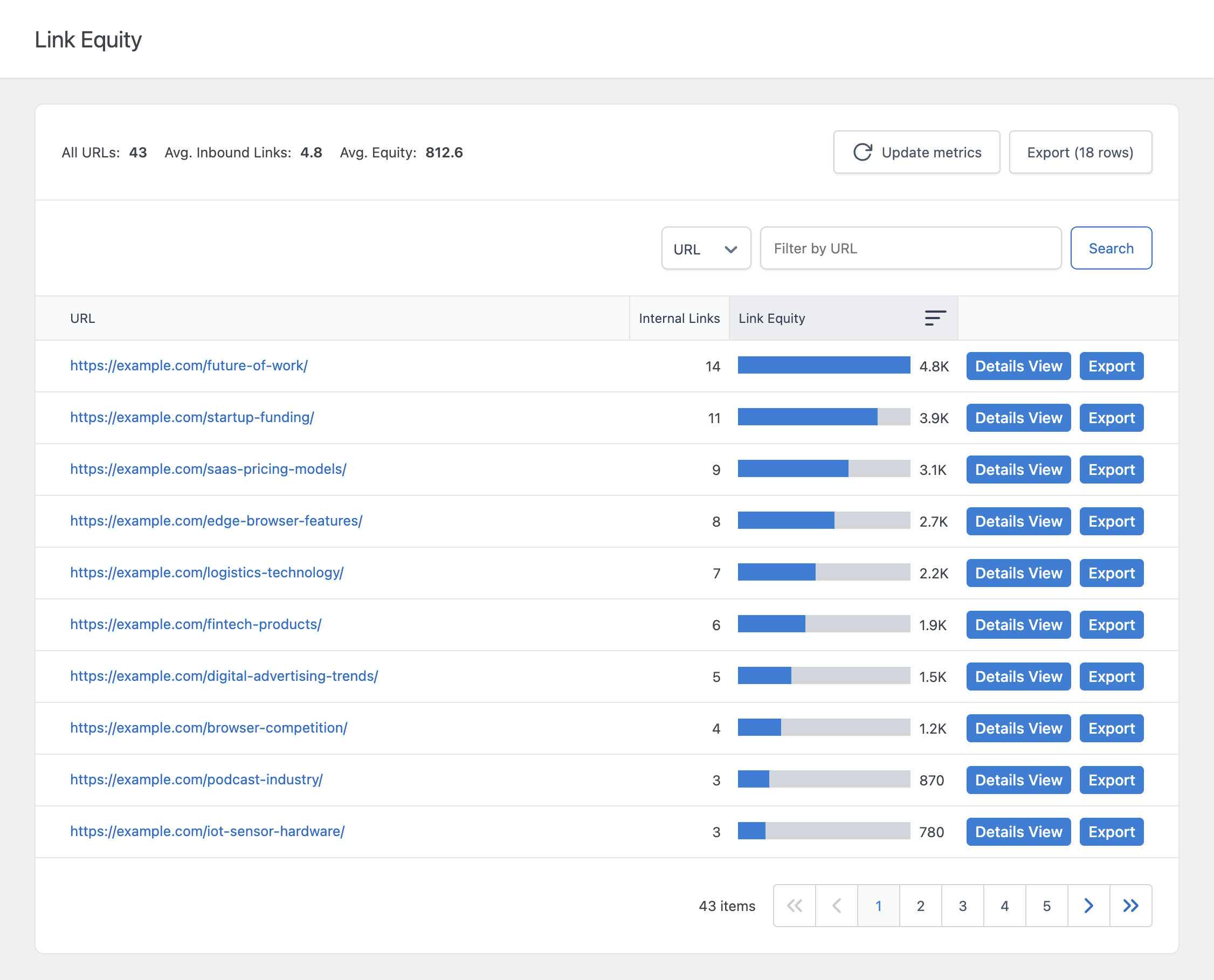
Link Manager estimates the link equity of each URL by adding up the value passed by every internal link pointing to it. Both the links you add manually and the links created by your Auto Link Rules are included.
Click Details View next to a URL to see every internal link pointing to it, with the post that contains the link, the anchor text, and the equity passed by that single link. This explains why a URL has a high or low value and shows which posts are the best candidates for new links.
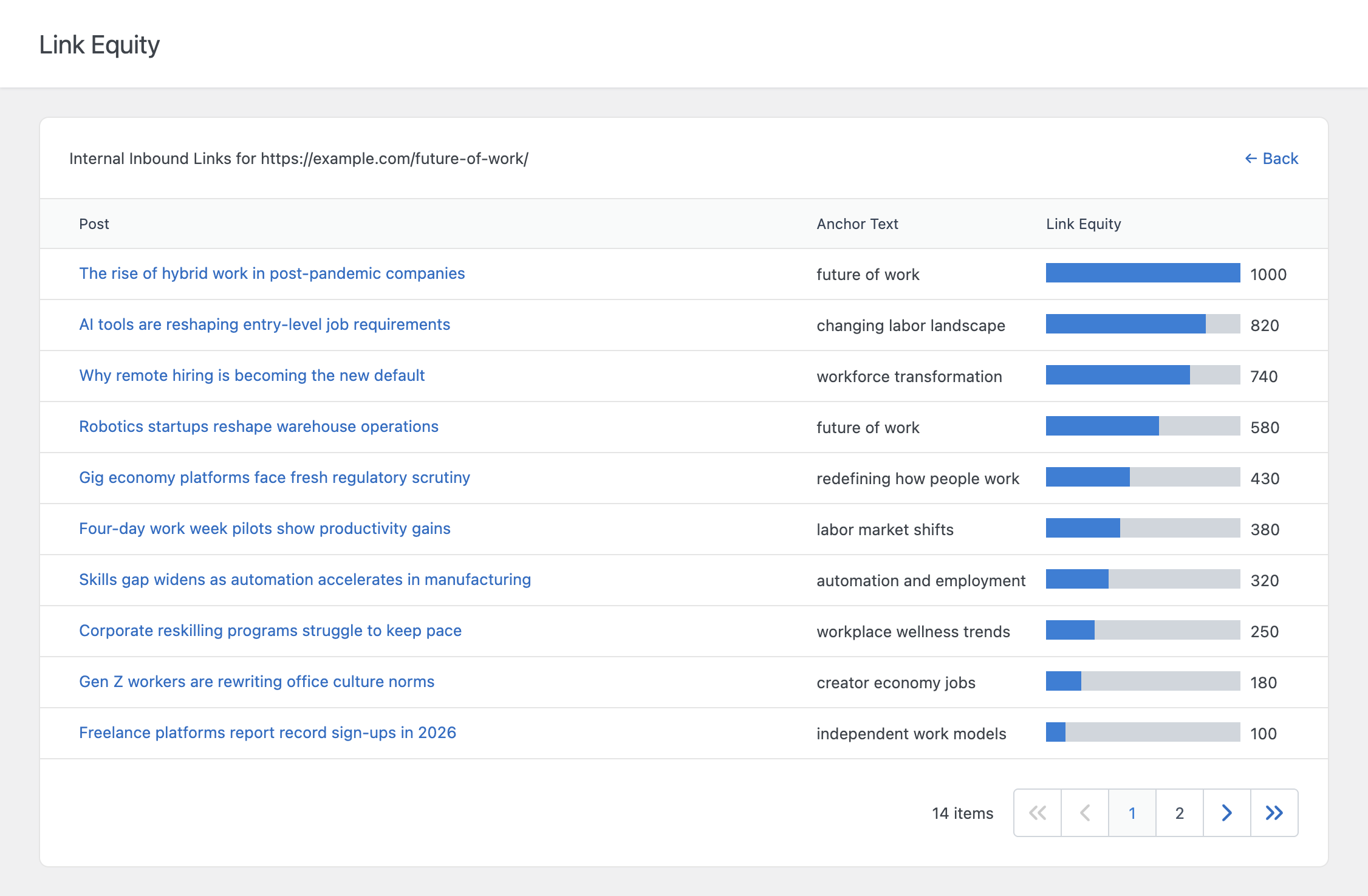
Next to each value, a bar shows the equity of the URL relative to the URL with the highest equity. This makes the strongest and weakest pages easy to compare at a glance.
From the settings, you can adjust how link equity is calculated, choose which post types are included in the analysis, and decide how often the data is updated.
The Internal Links Settings panel of the post editor lets you assign a custom link equity value to an individual post. Not all pages are equally strong. You can set a higher value for authoritative pages that receive external backlinks or traffic, and a lower value for thin content, so the estimate reflects your site more closely.
The Export button downloads the Link Equity table in CSV format, so you can sort it in a spreadsheet or include it in an SEO report.