Click Tracking
Know which links your visitors actually click

A feature of the Link Manager plugin for WordPress
Know which links your visitors actually click
A feature of the Link Manager plugin for WordPress
Click Tracking is a feature of Link Manager that records the clicks on the links of your posts, manual or automatic, internal or external. Links keep their original URLs, with no redirects and no cloaked links. Every click is listed in the plugin backend with the post, the target URL, the anchor text, and the date.
Link counts tell you where links are. Click Tracking tells you which ones are used. Click data shows which internal links guide visitors to more content, which affiliate links produce traffic, and which automatic links are worth keeping.
Many link tracking plugins send visitors through a redirect URL on your domain to count clicks. Link Manager does not, and your links point directly to their destination. Analytics tools can track link clicks too, but they need extra configuration and their reports live outside WordPress. Click Tracking records each click inside WordPress, next to the rest of your link data.
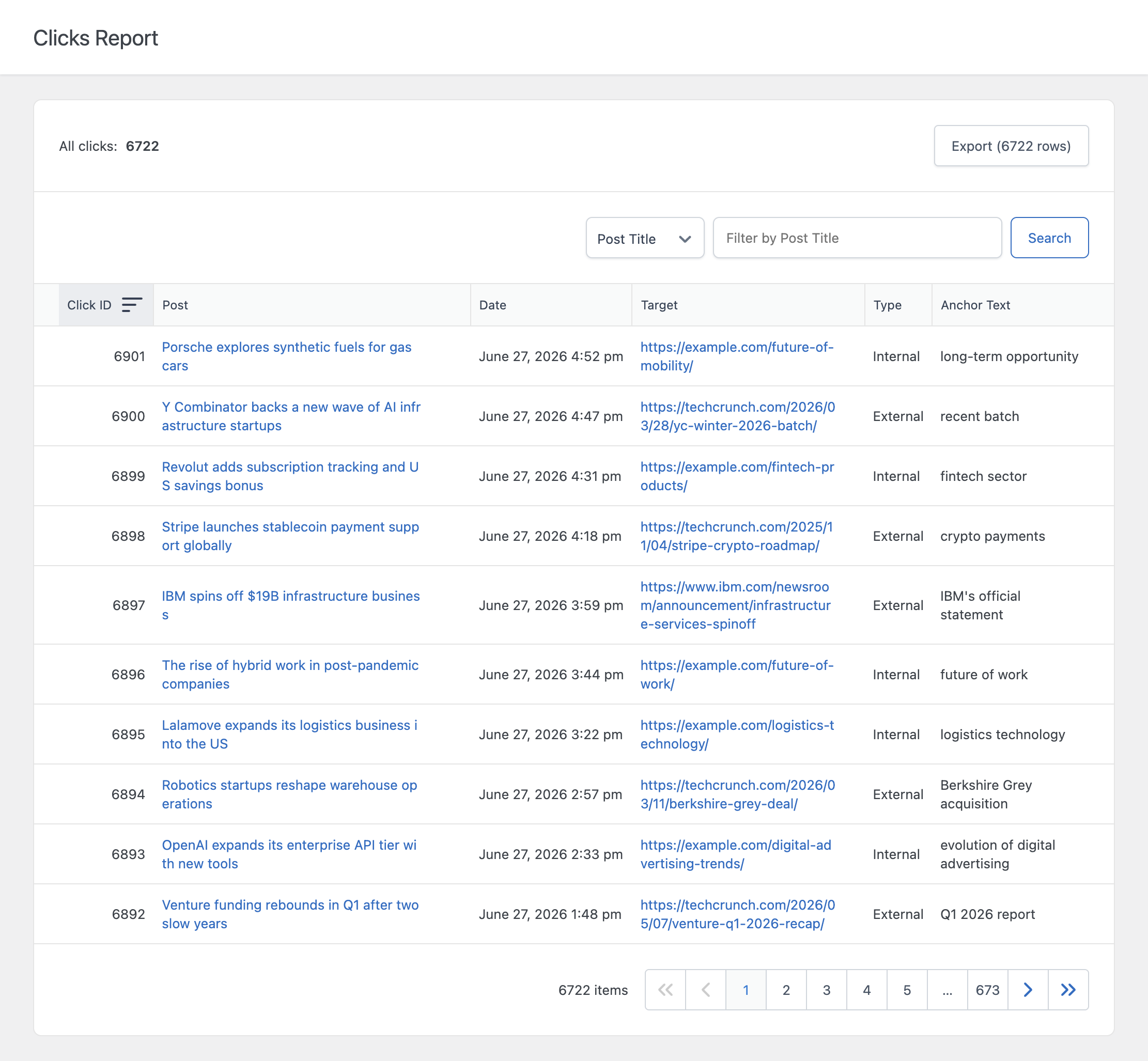
Once enabled, Click Tracking records clicks on the links of your posts, to pages of your site or to other websites. Each click is labeled as internal or external depending on whether the target URL belongs to your site.
The click is sent in the background while the visitor follows the link. The URL of your links is never changed, so the destination URL that visitors, search engines, and affiliate programs see is the real one.
The Clicks menu lists every recorded click with its ID, the post where the link was clicked, the date and time, the target URL, the type, and the anchor text. You can filter by any column and sort the table, for example to see all the clicks on a single affiliate URL in the last month.
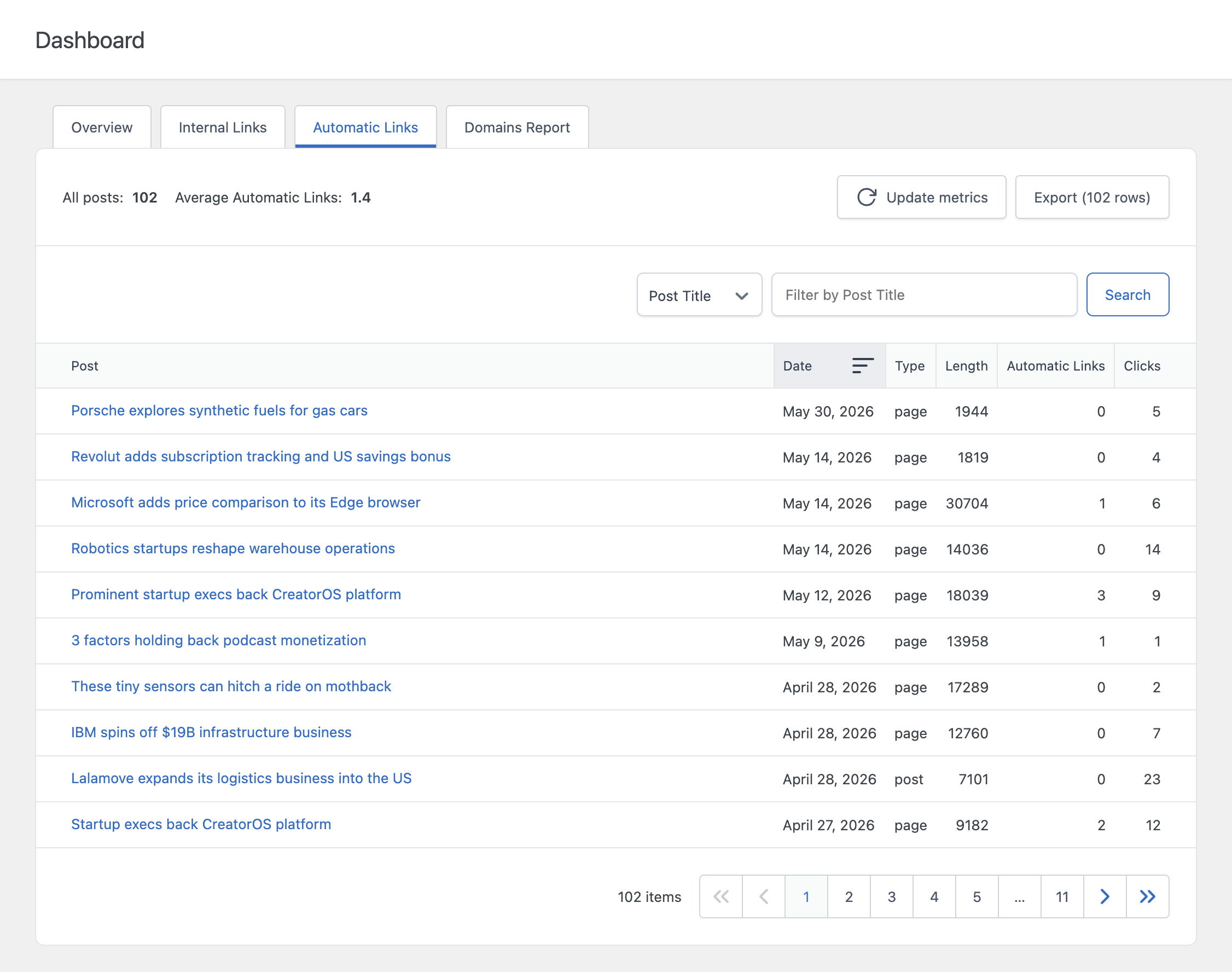
When a click comes from an automatic link, you can open the rule that generated it directly from the log. The Dashboard also shows the clicks on automatic links for each post.
To avoid inflated numbers, repeated clicks from the same IP address within a few seconds are recorded only once. IP addresses are anonymized before they are stored, are used only for this check, and are never displayed in the plugin.
The Export button downloads the click log in CSV format. If necessary, old clicks can be deleted in bulk from a dedicated menu.
Note that click tracking is disabled by default, and the tracking script is loaded only when it is enabled.