Locale Selector
Let visitors choose their preferred language or country

A feature of the Hreflang Manager plugin for WordPress
Let visitors choose their preferred language or country
A feature of the Hreflang Manager plugin for WordPress
The locale selector automatically displays all available language and country versions of a page by reading the hreflang data. This allows visitors to easily switch between localized versions of the content, improving usability, engagement, and overall site performance.
The locale selector included in Hreflang Manager allows you to add a fully functional language and country switcher to your pages with minimal effort. The selector is automatically generated from your existing hreflang configuration, ensuring accuracy and consistency at all times.
Adding a locale selector significantly improves the user experience. Visitors immediately understand that alternate versions of the page are available, can switch between them effortlessly, and remain engaged with your content. This often results in lower bounce rates, longer session durations, improved retention, and higher conversion rates across international audiences.
The plugin lets you display the locale selector automatically at the beginning or end of your posts. This is the fastest and easiest setup and only requires enabling a single option.
For more advanced use cases, the locale selector can also be placed manually. You can insert it directly into page content using shortcakes, add it via the block editor, include it in template files, or integrate it into your theme using a dedicated function. This flexibility allows you to position the selector exactly where it makes the most sense, such as in the header, sidebar, footer, or any custom layout area.
For sites with more complex structures, including custom post types, the locale selector can be configured to appear only on specific content types, such as blog posts, product pages, or custom templates.
The plugin also automatically determines when the locale selector should be displayed. It only appears on pages where hreflang is implemented and at least two alternate versions are available, ensuring relevance and avoiding unnecessary UI elements.
Depending on your site structure and the number of localized versions, Hreflang Manager offers five different display styles for the locale selector.
For headers, sidebars, or compact layouts, dropdown selectors are ideal.
You can choose between a native HTML dropdown or a fully custom selector that allows precise visual styling.
For a more subtle approach, the locale selector can be displayed inline within the content, appearing as a natural sentence such as: “This page is also available in English and Spanish.”
For larger networks or sites with many locales, a modal window can be used to present all available versions in a dedicated interface.
Other available styles include button-based selectors with a pill-style UI, as well as clean and simple lists of links. Each style is designed to adapt to different layouts, content strategies, and audience sizes.
The locale selector includes extensive customization options to ensure visual consistency with your site.
You can choose how languages and countries are labeled, displaying either full names or ISO codes. Flags can be enabled or disabled, and the font family can inherit the theme font or be set explicitly. Text color, background color, accent color, and border radius can all be adjusted to match your design system.
The result is a locale selector that feels like a native part of your site, not a third-party add-on, while remaining clear, accessible, and easy to use.
Getting started is simple. After configuring your hreflang data, open the plugin options and navigate to the Locale Selector section.
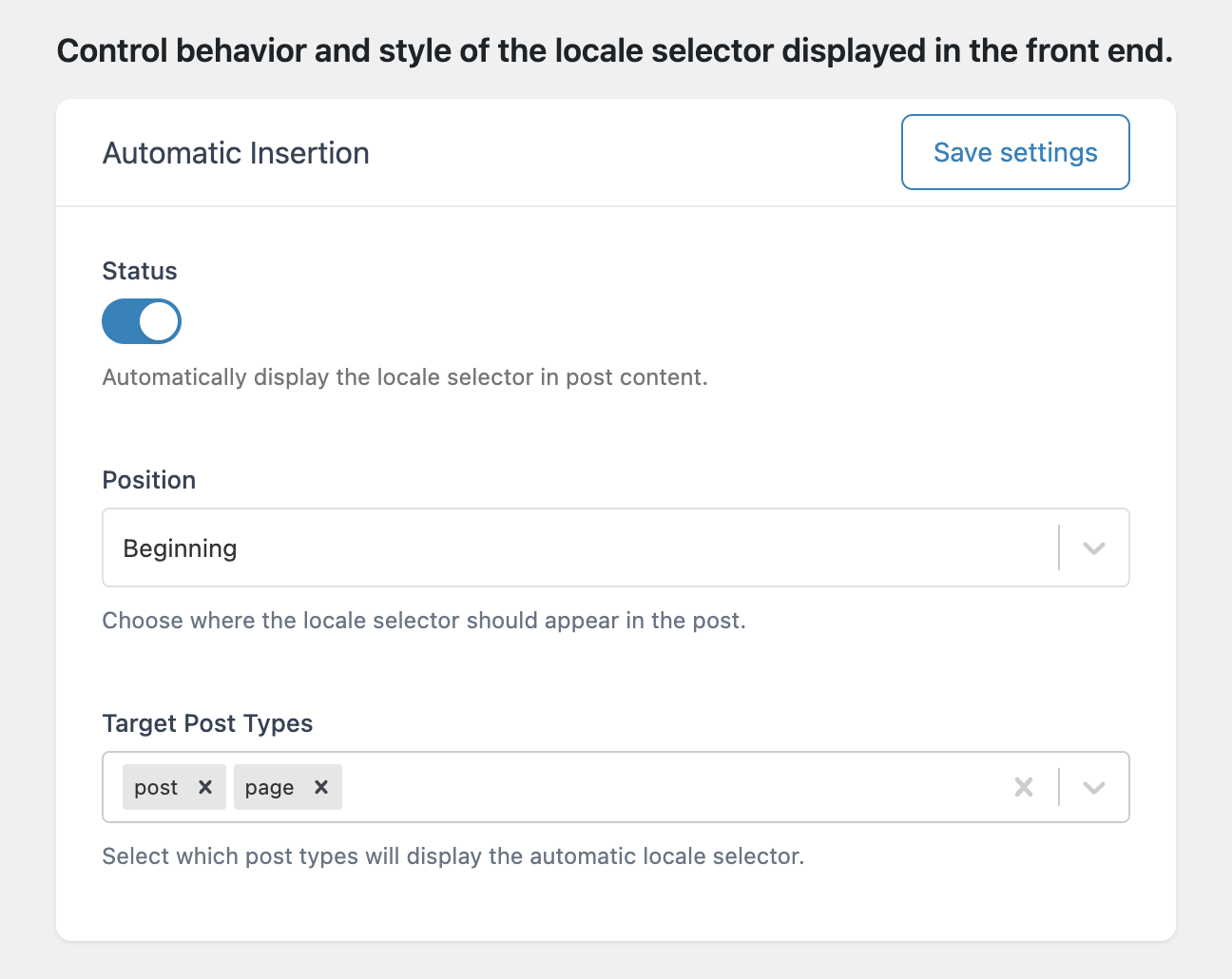
From there, choose whether the selector should be added automatically or manually. Select the display style that best fits your layout, customize colors and typography, and save your settings.
Once configured, the locale selector will automatically appear on the front end wherever it’s relevant, giving visitors a clear and intuitive way to switch between localized versions of your content.