Broken Link Checker

Find and fix the broken links in your content

A feature of the Link Manager plugin for WordPress

What does the Broken Link Checker do?

The Broken Link Checker is a feature of Link Manager that collects all the links of your published posts, checks the HTTP status code of each URL in the background, and lists every link with its post, anchor text, status code, and last check date. The checks run from your own server, with no external service.

Fix broken links before your visitors find them

  • Check the HTTP status of every link in your content
  • Find 404 errors, server errors, and redirect problems
  • Run the checks in the background on your own server
Take control of your links with Link Manager
Find linking opportunities, fix broken links, track clicks, and build a stronger internal link structure across your entire WordPress site.

Why should I use the Broken Link Checker?

Pages get deleted, websites close, and URLs change. Every link in your content that points to a page that no longer exists sends readers to an error page.

On a site with a few hundred posts and thousands of links, checking them by hand is not realistic, and errors usually appear months after a post is published, when an external site changes its structure. The Broken Link Checker runs these checks for you on a schedule.
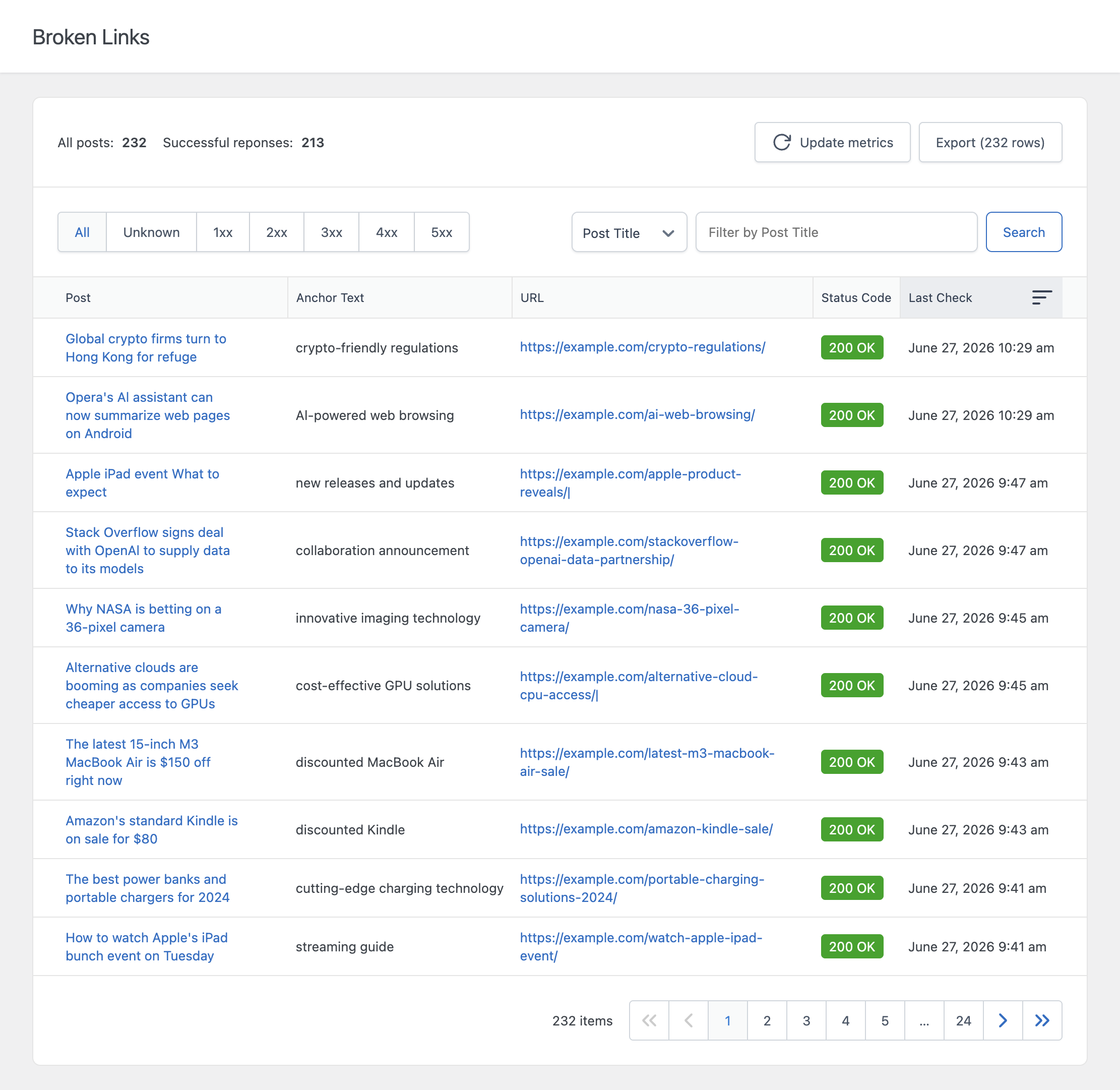
The Broken Links menu of Link Manager with the HTTP status code of each link

HTTP status check of every link

The checker collects the internal and external links of your published posts and requests each URL. The status code shows what happened:

  • 2xx: the page is reachable
  • 3xx: the URL redirects to another location
  • 4xx: client errors, for example 404 Not Found or 410 Gone
  • 5xx: the destination server returned an error

Link details in one table

Each row shows the post that contains the link, the anchor text, the destination URL, the status code with a short description, and the date of the last check. Filter the table to see only the links that need to be fixed, then edit the post and update the link.

Background checks with WP-Cron

Checking thousands of URLs at once would overload most servers. The checker processes the list gradually in the background, a few URLs at a time, which keeps the load on your server low.

Configurable requests

From the settings, you can decide how many links are checked at a time, how often the checks run, how long to wait for a response, and whether redirects are followed. When redirects are followed, a link that redirects to a working page is not reported as an error.
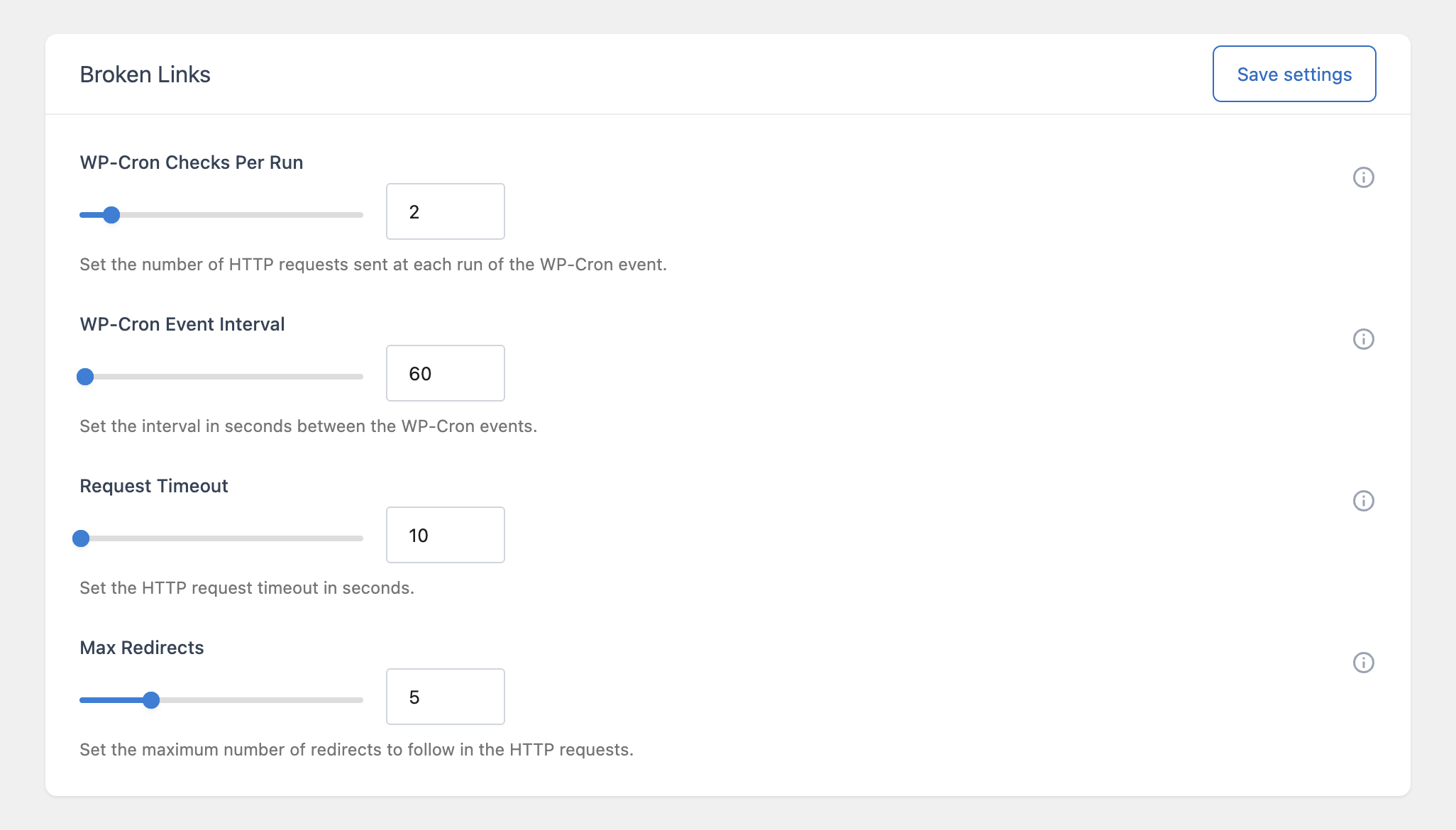
The Broken Links settings of Link Manager

Choose which content is checked

You can choose which post types are checked and how often a new round of checks starts.

CSV export

The Export button downloads the results in CSV format, so you can share the list of broken links with an editor or include it in an audit.

How to use the Broken Link Checker

  1. Open Link Manager > Broken Links. The list of links is created and the background checks start.
  2. Wait for the checks to complete.
  3. Filter the results to show the broken links, then edit the posts and fix or remove them.
  4. Use the Update metrics button to rebuild the list and start a new round of checks after your changes.

Frequently asked questions

How do I find broken links in WordPress?
Install Link Manager and open the Broken Links menu. The plugin checks every link in your published content in the background and lists the ones that return error status codes such as 404 or 500.
Does the checker test internal and external links?
Yes. Both internal links to your own pages and external links to other websites are checked.
Will the Broken Link Checker slow down my site?
No. The checks run in the background and process only a few links at a time, so the load on your server stays low. You can make the checks faster or slower from the settings.
Are redirects reported as broken links?
No. When a link redirects to a page that works, the checker follows the redirect and does not report it as an error. If you want to see the redirects and update old URLs, you can change this in the settings.
Take control of your links with Link Manager
Find linking opportunities, fix broken links, track clicks, and build a stronger internal link structure across your entire WordPress site.