Domains Report
Find every external website your WordPress content links to

A feature of the Link Manager plugin for WordPress
Find every external website your WordPress content links to
A feature of the Link Manager plugin for WordPress
The Domains Report feature lists every external domain linked in your published content, with the number of posts and links pointing to each one. For each domain, you can see which posts link to it and check every single link, with its anchor text and URL.
Outbound links grow quietly. Over the years a site collects links to partners, affiliate programs, sources, tools, and sites that have changed owner or topic. WordPress has no screen that lists them, so most site owners do not know which domains they link to or how often.
The Domains Report gives you that list. You can check whether your content depends too much on a single external source, verify that affiliate links use the right parameters, find links to a competitor or to a domain you no longer want to recommend, and review sponsored links.
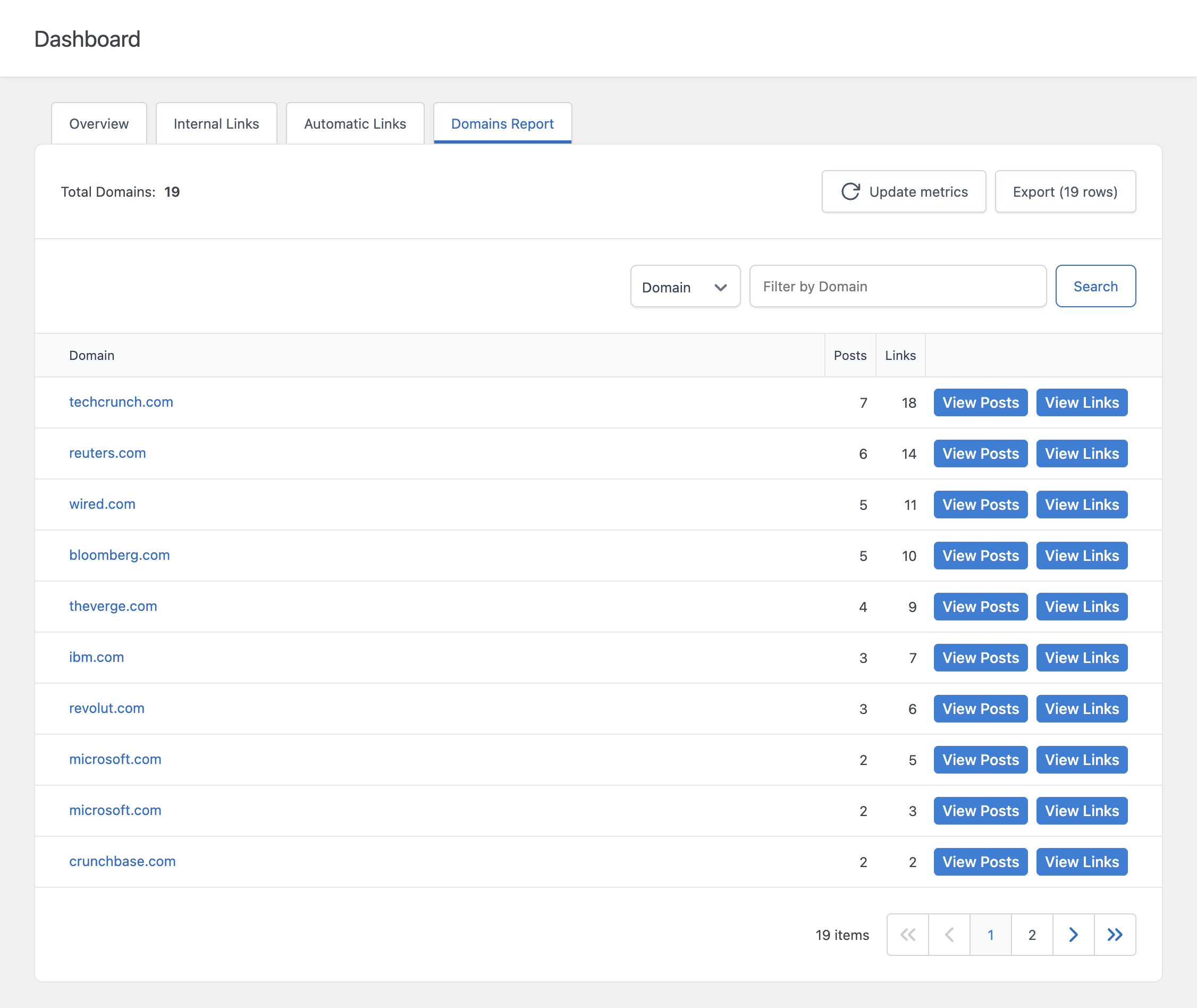
Each row of the report shows a domain, the number of distinct posts that link to it, and the total number of links pointing to it. A domain with many links but few posts usually means a small number of posts link to it repeatedly. A domain with many posts and few links per post is referenced broadly across your content.
The View Posts drill-down lists every post that links to the selected domain, with its publication date and the number of links to that domain inside the post. Use it to find the content you need to edit when you want to remove or replace a domain.
The View Links drill-down lists every individual link to the selected domain, with the anchor text and the exact destination URL. It is the quickest way to check that every link to an affiliate program includes your tracking parameter, or that the anchor texts used for a partner are the ones you agreed on.
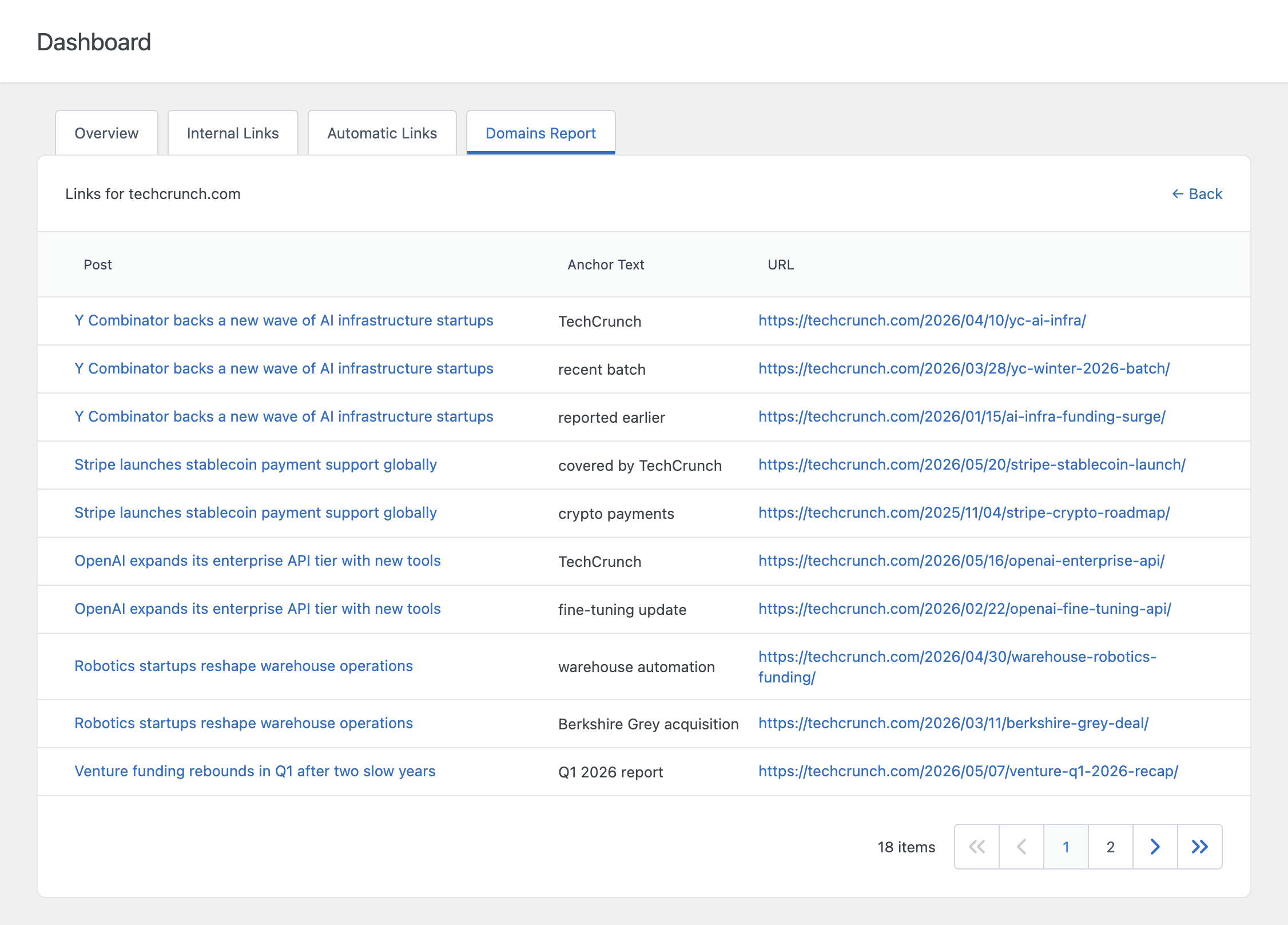
The Export button downloads the report in CSV format, ready to be opened in Excel or Google Sheets or attached to an SEO audit.
To check whether external links are broken, use the Broken Link Checker of Link Manager.