Internal Links Suggestions
Get ideas for new internal links directly from the post editor

A feature of the Link Manager plugin for WordPress
Get ideas for new internal links directly from the post editor
A feature of the Link Manager plugin for WordPress
Internal Links Suggestions is a feature of Link Manager that suggests, with one click, five existing posts related to the one you are writing. The posts are ranked by shared title words, categories, tags, and post type, and you can copy the URL of each suggestion.
When you write a new article, the hardest part of internal linking is remembering what you have already published. On a site with a few dozen posts you can remember what to link. On a site with hundreds of posts written over several years, or by several authors, you cannot. Related articles end up unlinked, and new content does not pass any value to older content that is still useful.
Internal Links Suggestions brings the relevant content to you at the moment you need it, while the article is open in the editor. You do not have to search the site, open other tabs, or keep a spreadsheet of URLs. Because the suggestions are based on your own titles and taxonomies, they follow the structure you already gave to your content. You decide which suggestions to use, where to place the link, and which anchor text to write.
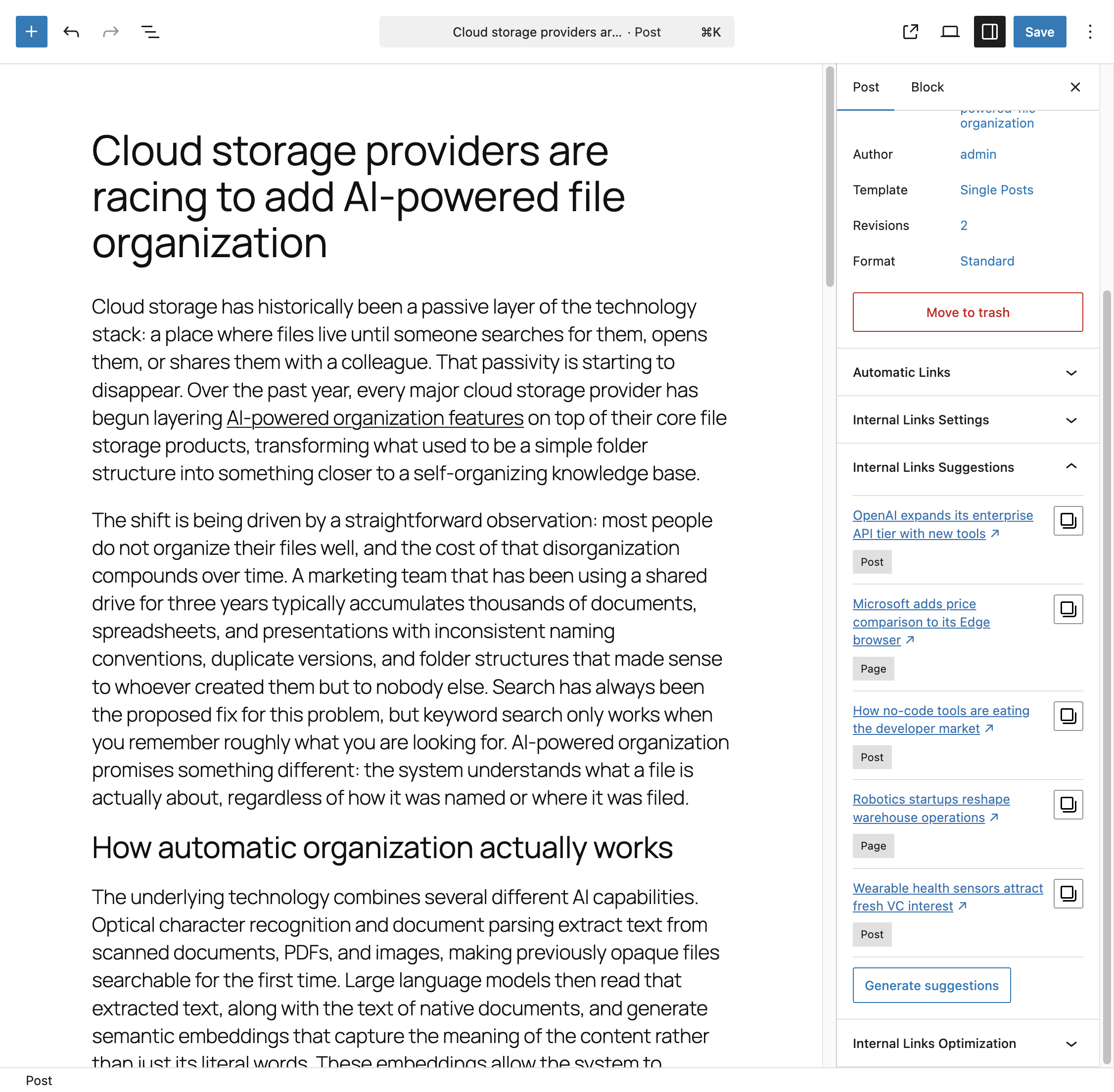
Click Generate suggestions in the Internal Links Suggestions panel to get up to five related posts. Each suggestion shows the post title and post type. Click the copy icon next to a suggestion to copy its URL, then select the words in your text and paste the URL as a link. Click Generate suggestions again to get a different set of posts from the same pool of candidates.
Link Manager compares the post you are editing with the rest of your content. Posts that share title words, categories, tags, or the post type with your post rank higher. Each time you ask for suggestions, a different selection of the best candidates is shown, so you always have new options.
From the settings, you can decide which signals are used and which ones are required. For example, a site that uses categories as topics can make suggestions always come from the same category. You can also choose which post types can be suggested.
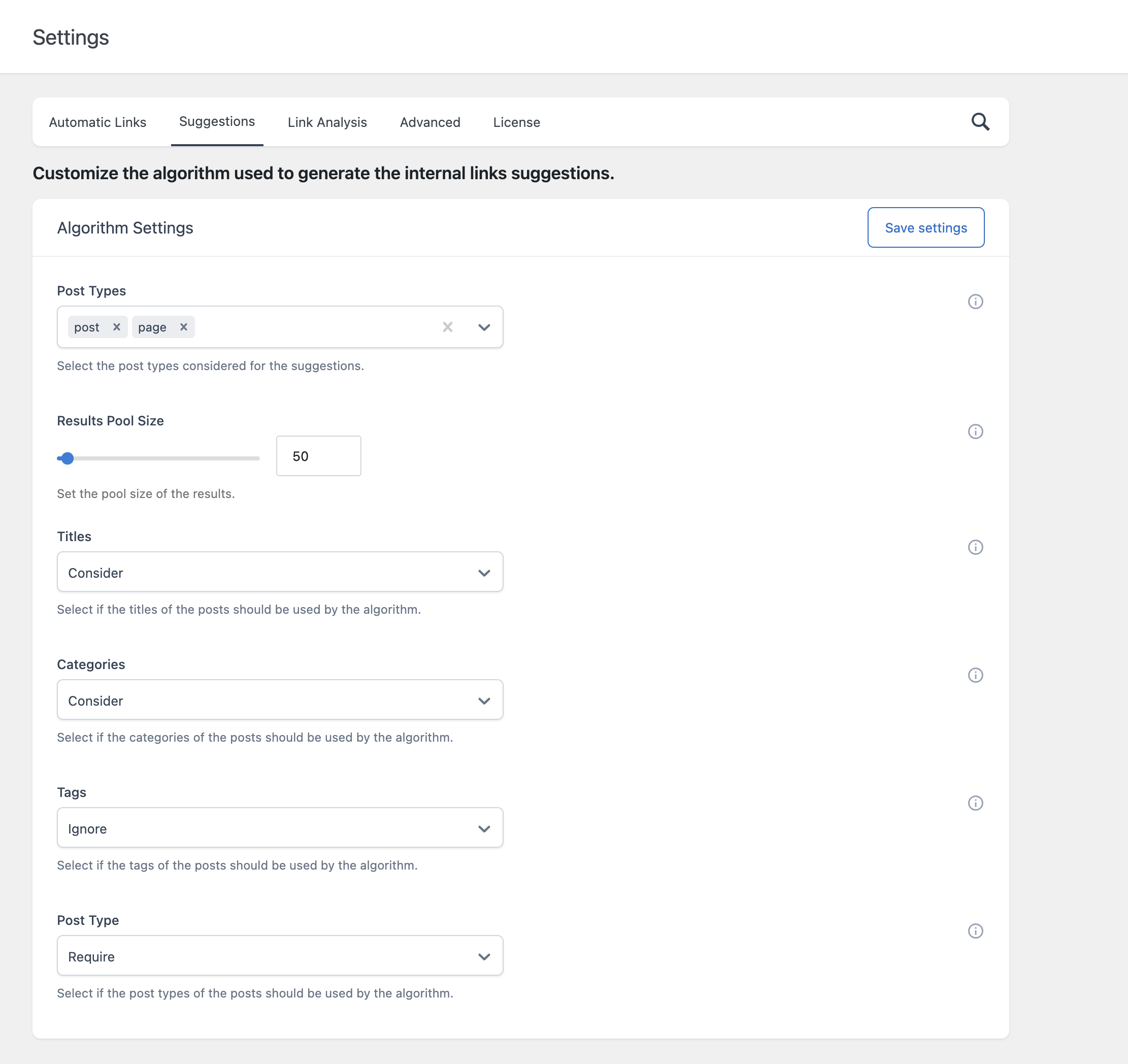
You can choose the post types that display the panel, by default posts and pages. You can also decide which users can use it, for example allowing authors to use suggestions.
The panel needs at least five posts that match your criteria. If your settings are too strict for your site, make them less restrictive. If you want links added automatically instead, use Automatic Links.