Internal Links Suggestions Panel
The Internal Links Suggestions panel recommends other posts on your site that may be worth linking to from the post you’re currently editing, based on similarity in title, post type, categories, and tags.
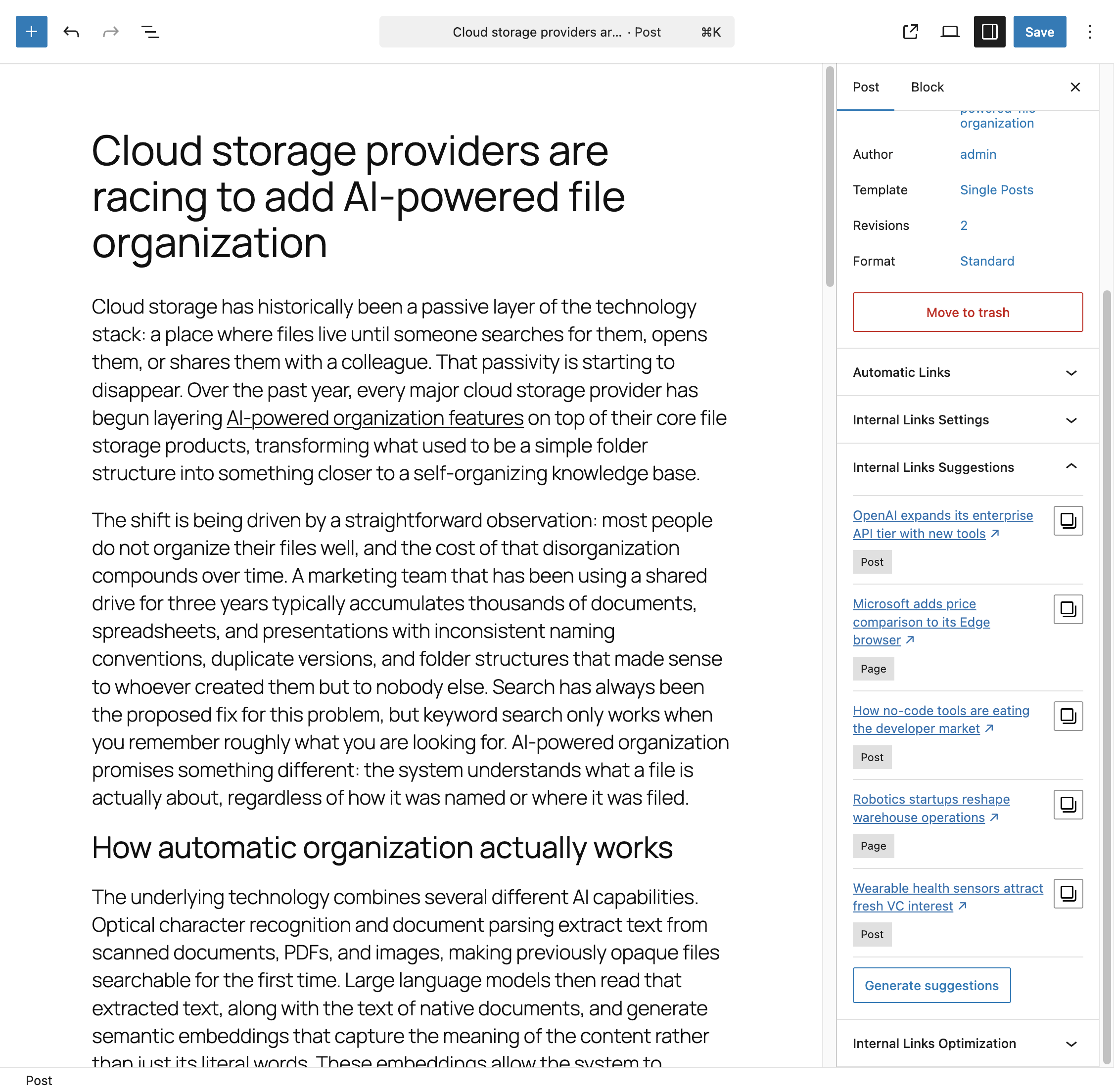
Where to Find It
In the block editor, the panel appears in the document settings sidebar under Internal Links Suggestions. This panel is not available in the classic editor.
Generating Suggestions
Suggestions are not generated automatically. Click Generate suggestions to run the algorithm and populate the panel with up to five recommended posts.
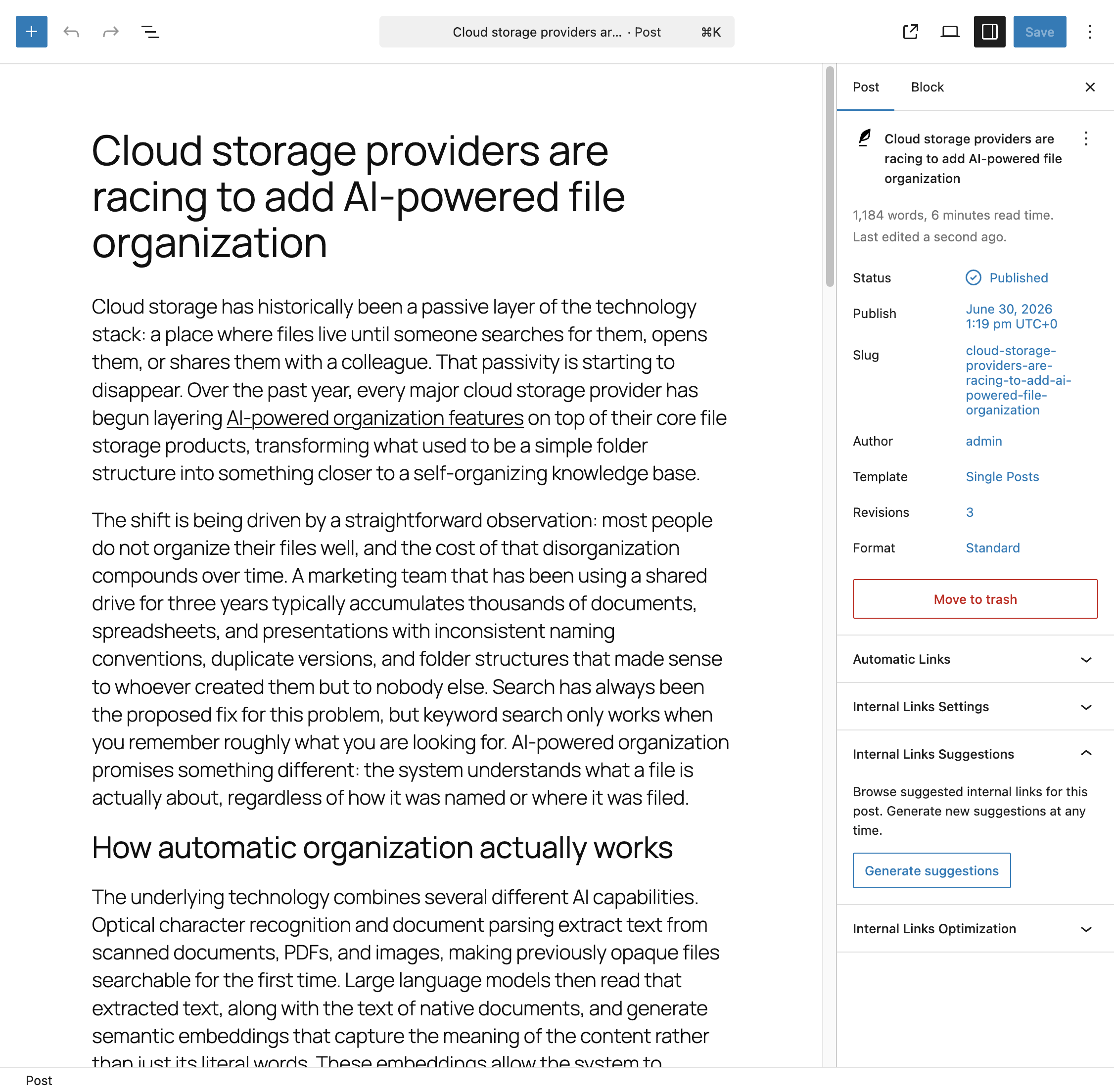
Each suggestion shows the linked post’s title, its post type, and a copy icon that copies the post’s URL to your clipboard, so you can quickly paste it into a link without leaving the editor.
If no suggestions are returned, the panel explains that there need to be at least five other eligible posts that meet the configured criteria. If your site or your suggestion settings are too restrictive, widen the criteria in the Settings menu or check that enough qualifying content exists.
How Suggestions Are Ranked
Each eligible post in your suggestion pool is scored using up to four signals, all configurable from the Suggestions section of the Settings menu:
- Titles – If set to Consider, every word shared between the current post’s title and a candidate post’s title adds 10 points to that candidate’s score.
- Post Type – If set to Require, only posts of the same type as the current post are kept as candidates. If set to Consider, posts of the same type receive a 20 point bonus instead of being filtered out.
- Categories – If set to Require, only posts sharing at least one category with the current post are kept as candidates. If set to Consider, posts sharing a category receive a 20 point bonus.
- Tags – If set to Require, only posts sharing at least one tag with the current post are kept as candidates. If set to Consider, posts sharing a tag receive a 20 point bonus.
Any signal set to Ignore is excluded from scoring entirely.
After scoring, candidates are sorted from highest to lowest score, and only the top results, up to the number defined by the Results Pool Size option, are kept as the final pool. Five posts are then chosen at random from that pool and displayed as suggestions, without repeats. This means clicking Generate suggestions again can surface a different set of five posts even without changing your content, since the random selection happens within the same scored pool each time.
For the full set of configurable options, refer to the dedicated documentation on configuring the suggestions algorithm.
When to Use This
This panel is most useful while drafting new content, as a way to discover existing posts worth linking to without manually searching your site. It complements Auto Link Rules rather than replacing them: suggestions are a manual, post-by-post discovery tool, while Auto Link Rules apply automatically and consistently across your entire site once configured.
Panel Visibility
This panel only appears for post types where the Internal Links Suggestions Post Types option, configured in the Advanced section of the Settings menu, includes the post type you’re currently editing.