Full Audit Tool for Hreflang Implementation
The Hreflang Checker is a powerful diagnostic tool included in Hreflang Manager that allows you to audit the hreflang implementation across your website.
It generates a detailed report directly in the plugin, helping you identify and fix issues without waiting for search engine reports or using third-party tools with limited functionality.
Unlike external services, the Hreflang Checker leverages your server’s resources, enabling you to validate all pages and all language or geo-targeted sites in your network without limits.
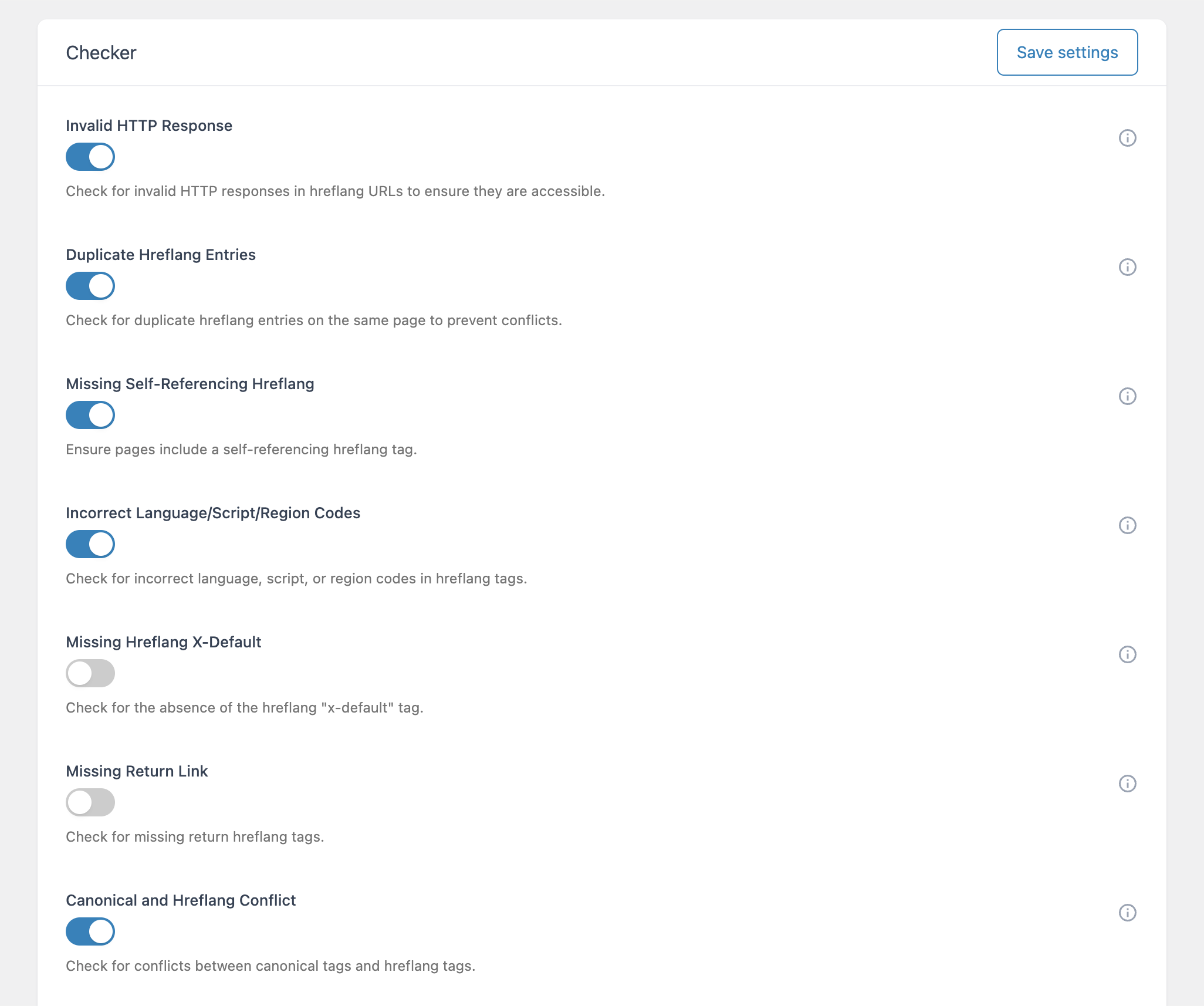
The checker covers the most critical and common hreflang issues, including:
- Invalid HTTP responses
- Missing return links
- Duplicate entries
- Incorrect language, script, or region codes
- Missing self-references
- Missing x-default tags
- Conflicts between canonical and hreflang annotations
Getting Started With the Hreflang Checker
After implementing hreflang data across your site, follow these steps to use the checker:
Navigate to Hreflang → Options → Advanced → Checker. Here, enable or disable the specific checks using the toggles. Each toggle corresponds to one of seven available checks.
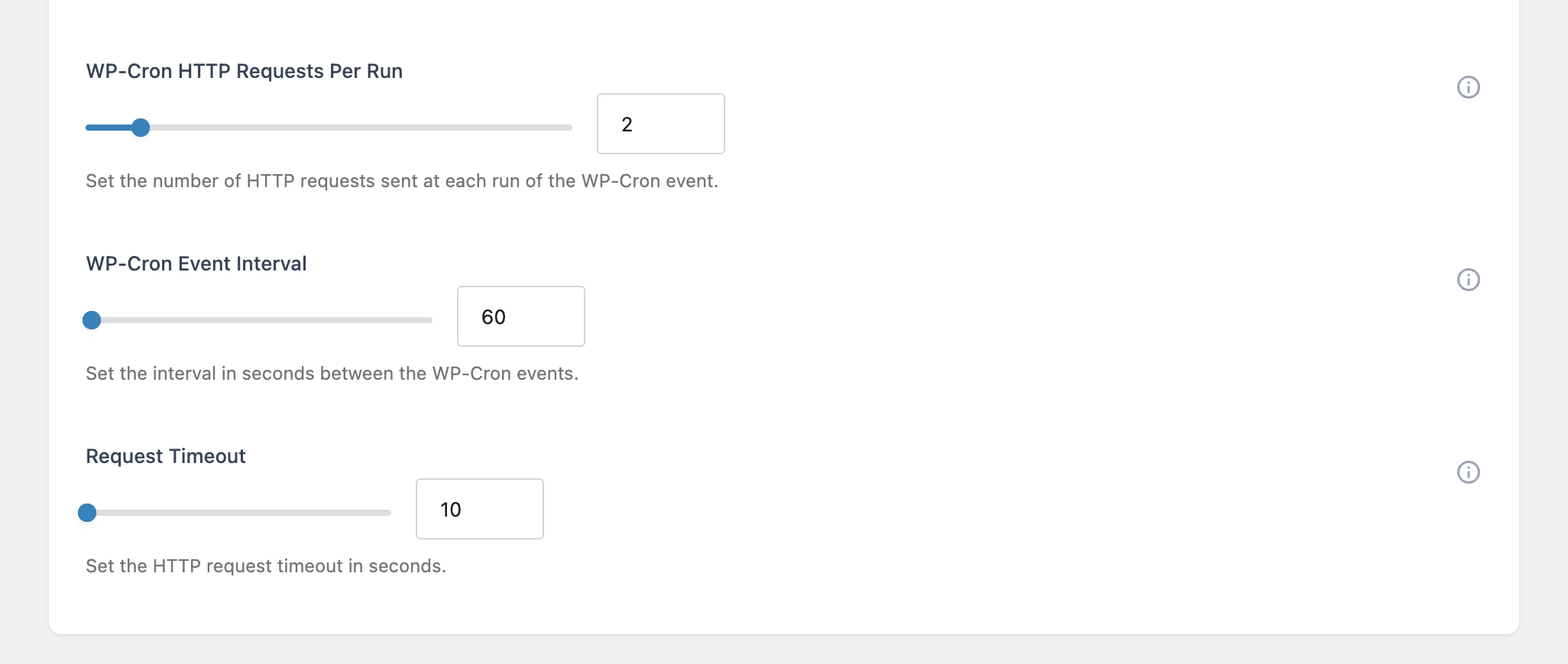
Then, configure the technical options for the checker, such as the number of simultaneous HTTP requests and batch size. Adjusting these options affects how long the audit will take. Please note that higher speed settings may generate a large number of requests, which may not be supported by your hosting environment. As a consequence we recommend leaving the default settings if you are ensure about the amount of HTTP requests supported by your hosting provider in a limited time-frame.
Once ready, open the Checker menu in a site of your network and click Check Hreflang to start the audit.
The checker uses WP Cron to schedule tasks, so completion time depends on the number of connections and the performance settings. You can monitor the progress using the Status indicator at the top of the screen.
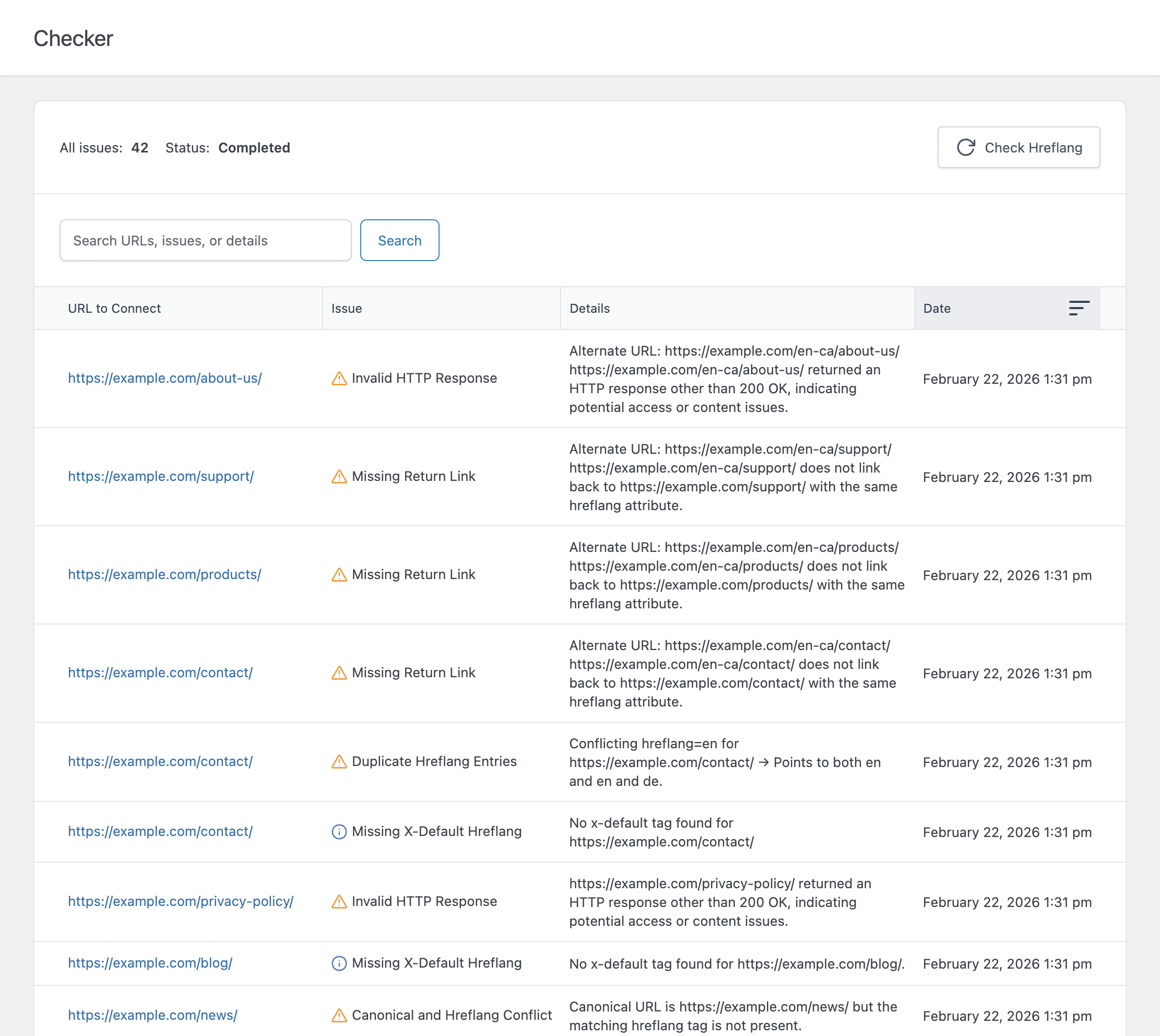
The checker will analyze all URLs across your site(s) and generate a report. Once you start receiving error the columns will show:
- The hreflang item with an issue
- The type of error
- Details to help resolve the problem
- The date the issue was first detected
Note: All checks are executed using your server’s resources. Configure the timing and performance options to ensure the audit completes without overloading your hosting environment.
Use the information provided on the next section to apply a solution for each reported hreflang error.
Understand Errors and How to Solve Them
The Hreflang Checker validates your implementation and highlights issues that could negatively affect search engine indexing and international targeting. Here are the seven error type reported by the checker and how to solve them.
Invalid HTTP Response
This check ensures that every URL referenced in your hreflang tags is reachable and returns a valid 200 OK status.
Why it matters: URLs returning 404, 301, 302, 500, or other codes may be ignored by search engines, causing incorrect language or regional pages to appear in search results.
How to Fix Invalid HTTP Response:
- Verify that the page exists and is published.
- Correct any typos in the URL or update permalinks.
- Resolve server errors that return 500 or other unexpected HTTP codes.
Duplicate Hreflang Entries
Detects multiple hreflang tags targeting the same language, script, or region on a single page.
Why it matters: Duplicate entries create ambiguity and may lead search engines to ignore or inconsistently interpret your hreflang configuration.
How to Fix Duplicate Entries:
- Review the Connections menu in the plugin.
- Remove any repeated entries for the same language/script/region.
- Ensure each alternate page has a unique hreflang tag.
Missing Self-Referencing Hreflang
Checks that each page includes a self-referencing hreflang tag.
Why it matters: A missing self-reference can break the integrity of the hreflang cluster and reduce the reliability of international targeting.
How to Fix Missing Self-References:
- Add an alternate page pointing to itself for the involved connection.
Incorrect Language / Script / Region Codes
Verifies that all hreflang values conform to ISO standards.
Why it matters: Non-compliant codes are ignored by search engines, rendering the hreflang annotation ineffective.
How to Fix Incorrect Codes:
- Check that external plugins, custom script or your theme template file output hreflang tags with invalid ISO code. Note that by implementing hrefang only with Hreflang Manager this problem can’t occur since the ISO code of language/script/locale are already verified and compliant.
Missing Hreflang X-Default
Detects the absence of the x-default annotation for pages that serve as fallback for unspecified languages or regions.
Why it matters: Without x-default, search engines may not know which page to serve for users outside targeted locales.
How to Fix Missing X-Default:
- Add a new alternate URL with the
x-defaultvalue.
Missing Return Link
Checks that every page referenced by a hreflang tag links back to the original page.
Why it matters: Hreflang annotations are only valid when bidirectional. Missing return links break this relationship.
How to Fix Missing Return Links:
- Ensure each alternate page has a corresponding hreflang tag pointing back to the original page. Use the plugin’s Connections menu or post editor to manually add missing links, note that for this specific issue it might be needed to correct the hreflang configuration on the other sites of the network and not on the site where the hreflang check is performed.
Canonical and Hreflang Conflict
Verifies that canonical tags do not conflict with hreflang tags.
Why it matters: Conflicting canonical and hreflang URLs send mixed signals to search engines, which may index the wrong version.
How to Fix Canonical–Hreflang Conflicts:
- Align canonical URLs with the correct language or regional version. Update either canonical or hreflang tags in the plugin to match the intended structure.