Load Documents in the Post Editor
With the Load Markdown section, you can replace the current post content with content generated from a document stored in the internal archive available in Markdown → Documents.
This panel is useful if you:
- Update WordPress posts only when publishing or revising content
- Write and maintain your content in Markdown
- Keep a central archive of documents
- Use Markdown as the source of truth for your content
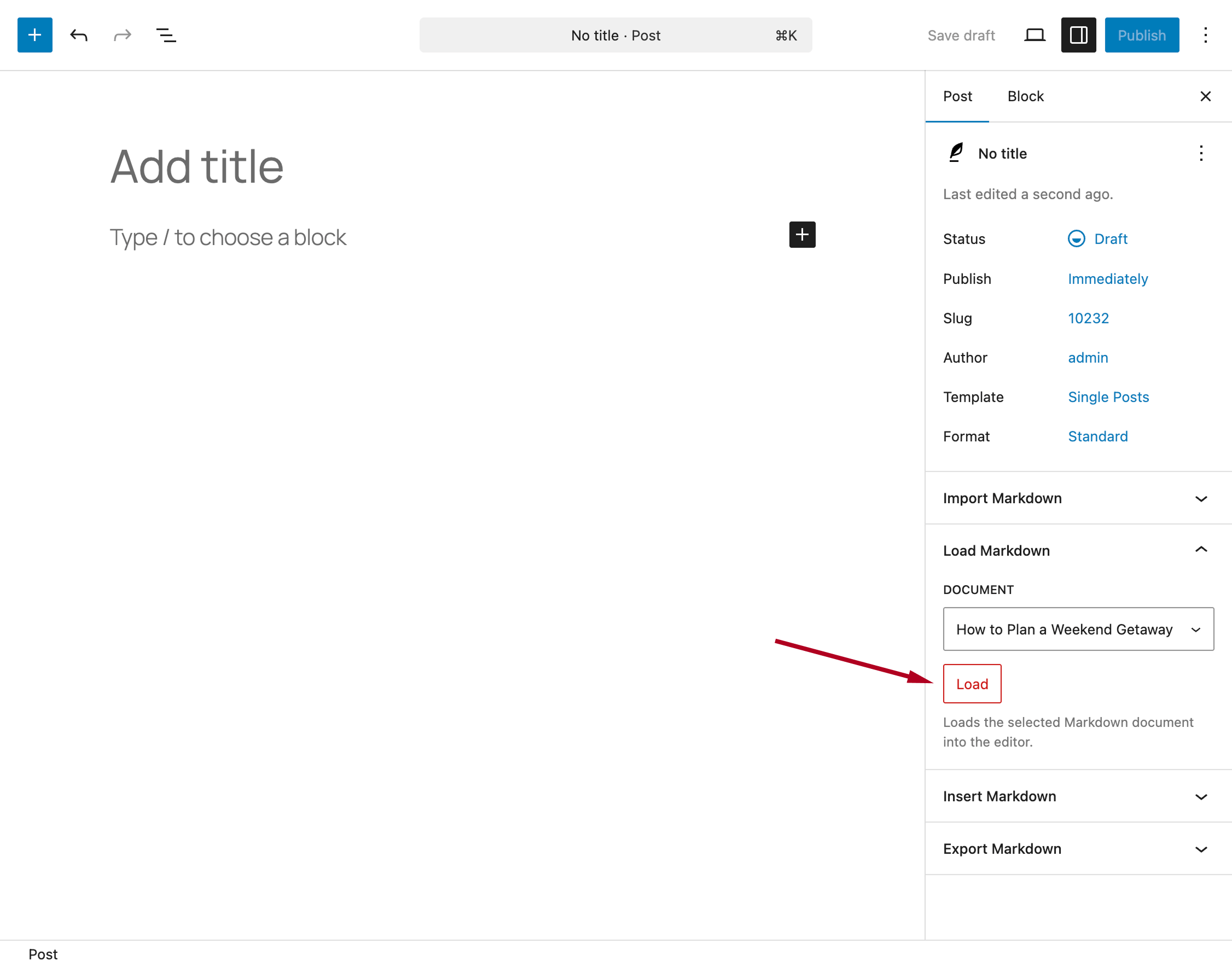
Open the Load Markdown section in the editor.
Use the available selector to choose a document from your archive.
To see documents in this list, you must first create them in the Markdown → Documents menu.
Click the Load button to generate the post content using the selected document.
After the operation:
- The post content is completely replaced
- A notification message confirms success or reports any errors
This action replaces the entire post content. Make sure there are no unsaved changes before loading a document.
For more information on creating and managing documents, refer to the Documents section of the documentation.