Introduction to Editor Panels
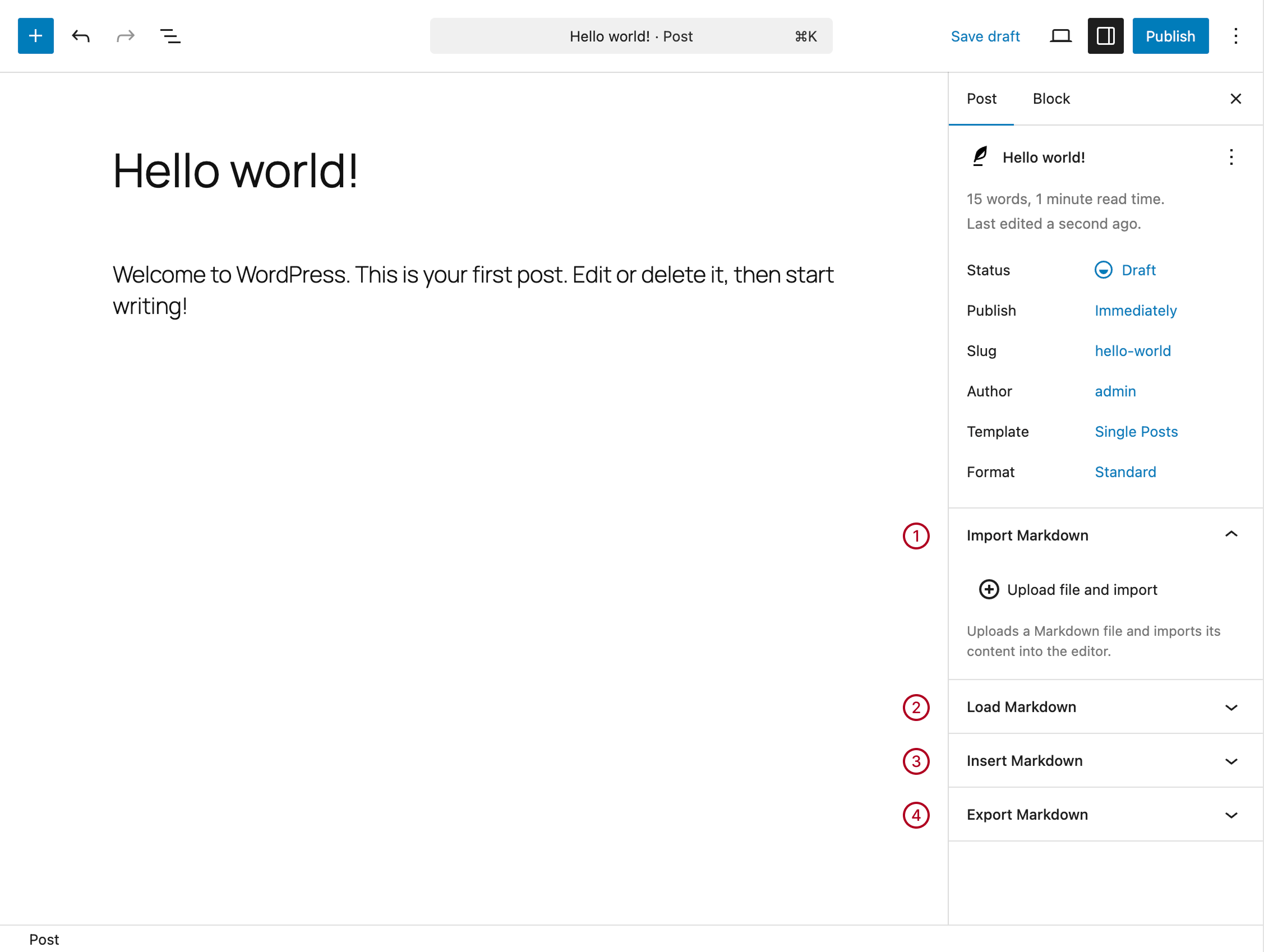
The plugin adds four new sections to the sidebar of your posts, pages, and custom post types.
The editor panels are available in both the Block Editor and the Classic Editor, with a similar layout in both environments. In the Block Editor, they appear in the sidebar, while in the Classic Editor they are displayed as meta boxes.
These panels provide always-available tools to perform the following operations:
- Import Markdown – Import a Markdown file and convert it into post content
- Load Markdown – Generate post content from an internal Markdown document (available in Markdown → Documents)
- Insert Markdown – Generate content from Markdown text entered manually
- Export Markdown – Export the current post as a Markdown file
Enable and Disable the Editor Panels
Make sure the editor panels are enabled. The process differs depending on the editor you are using.
Block Editor
To view the panels, ensure that the Post (or Page) tab is selected (not the Block tab).
If you still don’t see the panels:
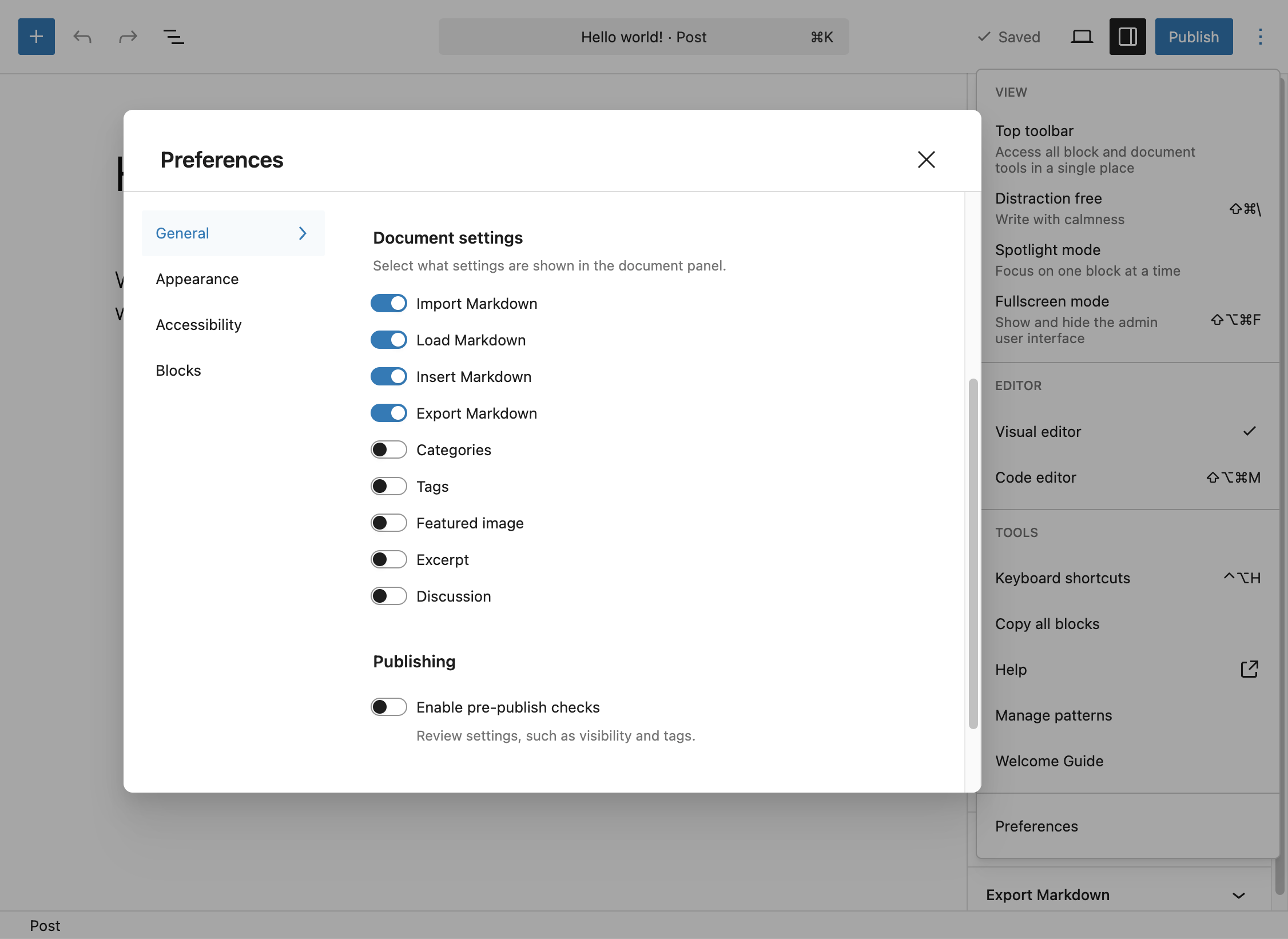
- Click the three-dot menu in the top-right corner
- Select Preferences
- Open the General tab
- Enable the four panels under Document settings
Classic Editor
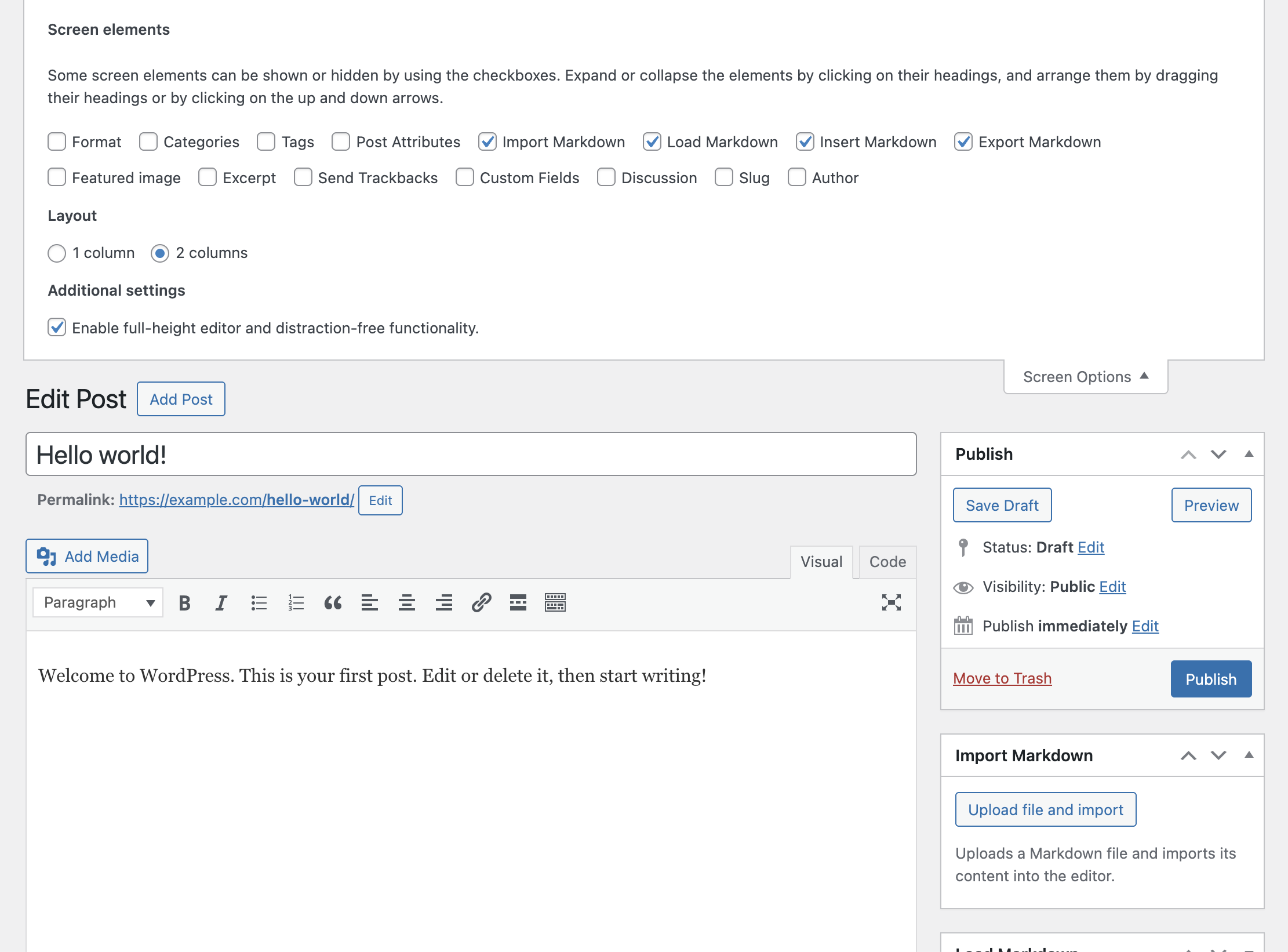
In the Classic Editor, the panels are displayed as meta boxes in the sidebar.
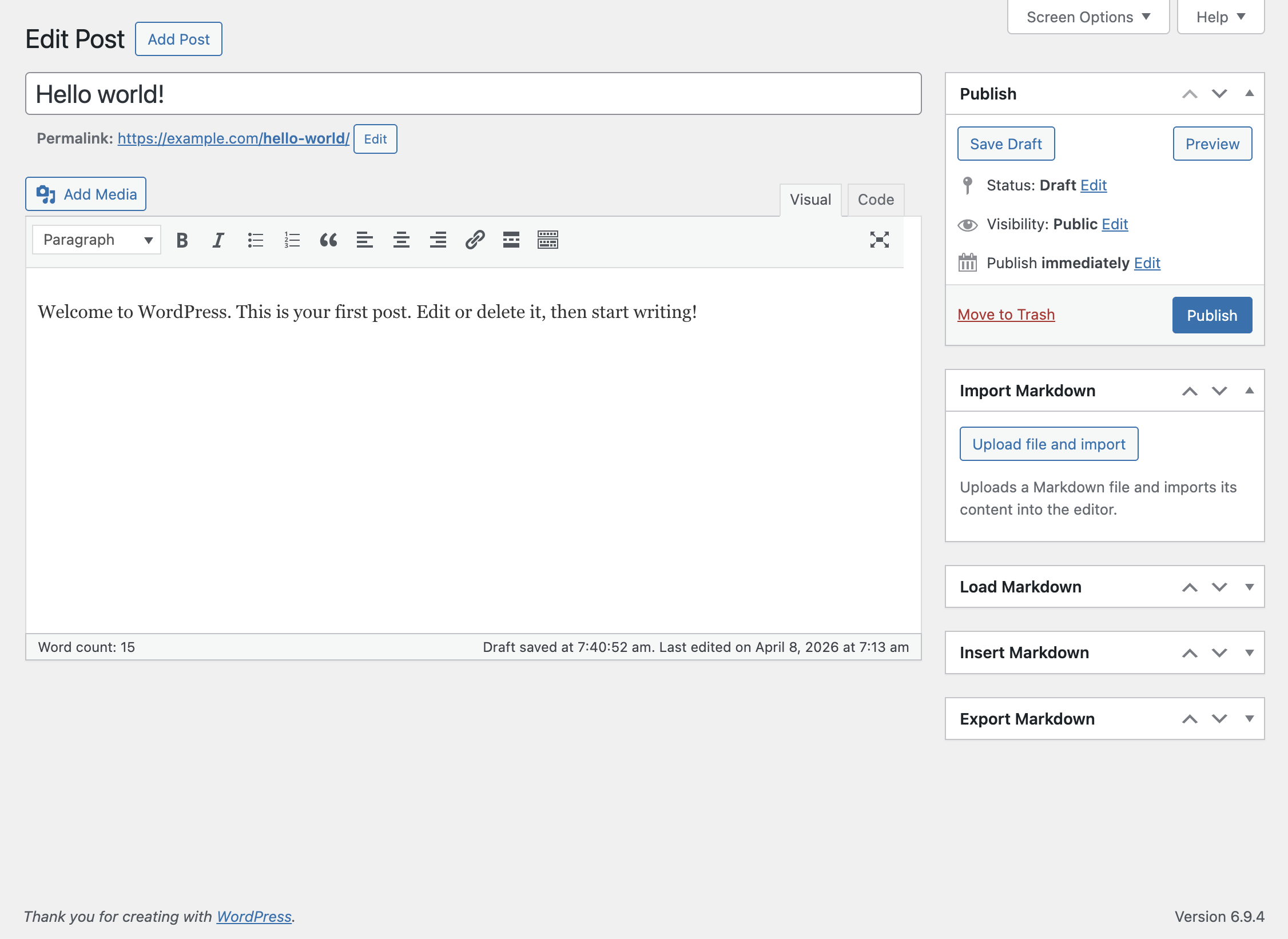
If the panels are not visible:
- Click Screen Options at the top of the screen
- Enable the four panels using the available checkboxes
Configuring the Markdown Parser
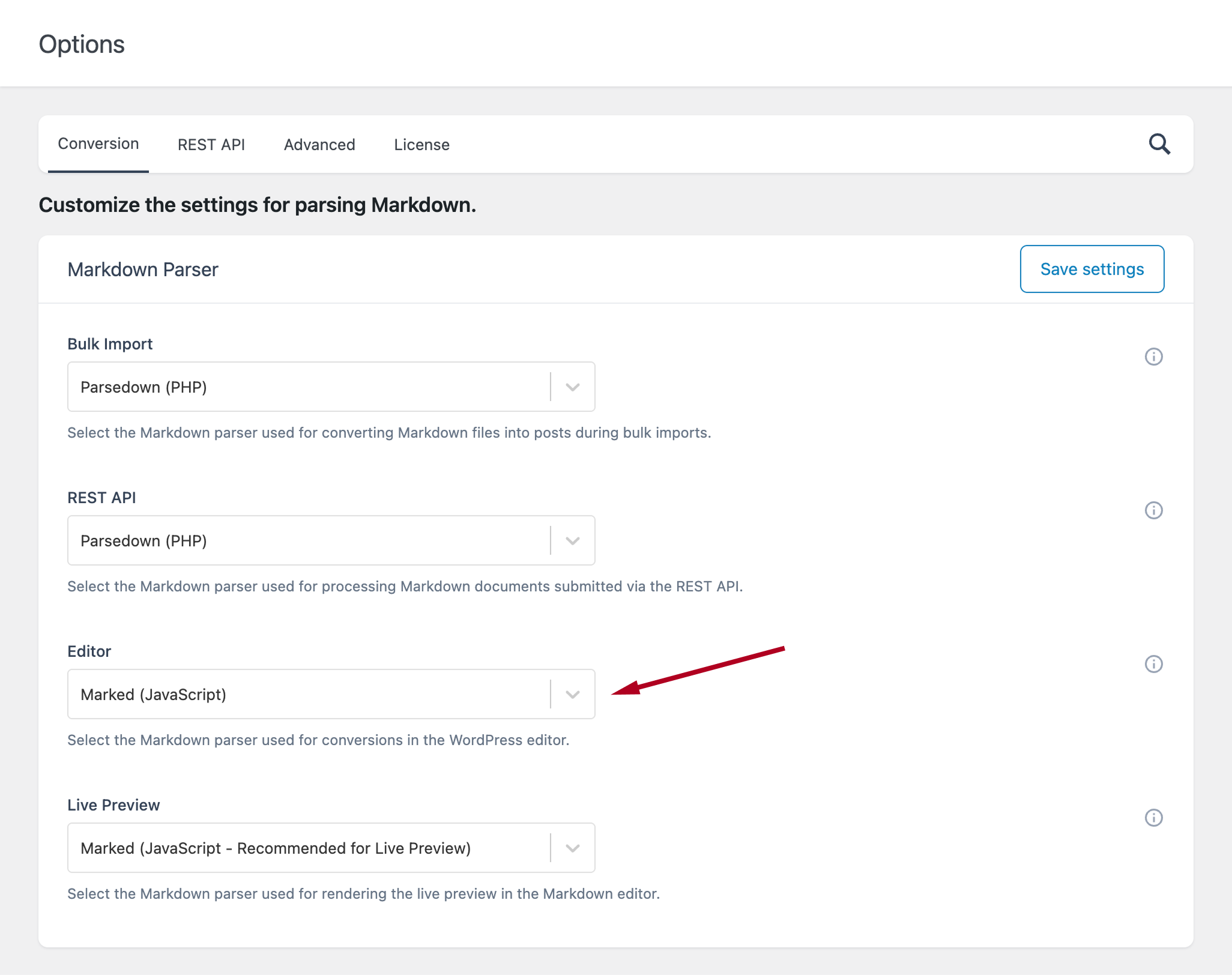
The parser used to convert Markdown to HTML in the editor panels can be configured in the plugin settings.
- Go to Options → Markdown Parser
- Use the Editor option to select the parser used in the editor panels