Exporting Posts to Markdown
With the Export section you can generate a compressed archive (.zip) containing Markdown files created from your WordPress posts. Use this feature to create portable, structured Markdown versions of your WordPress content.
To begin:
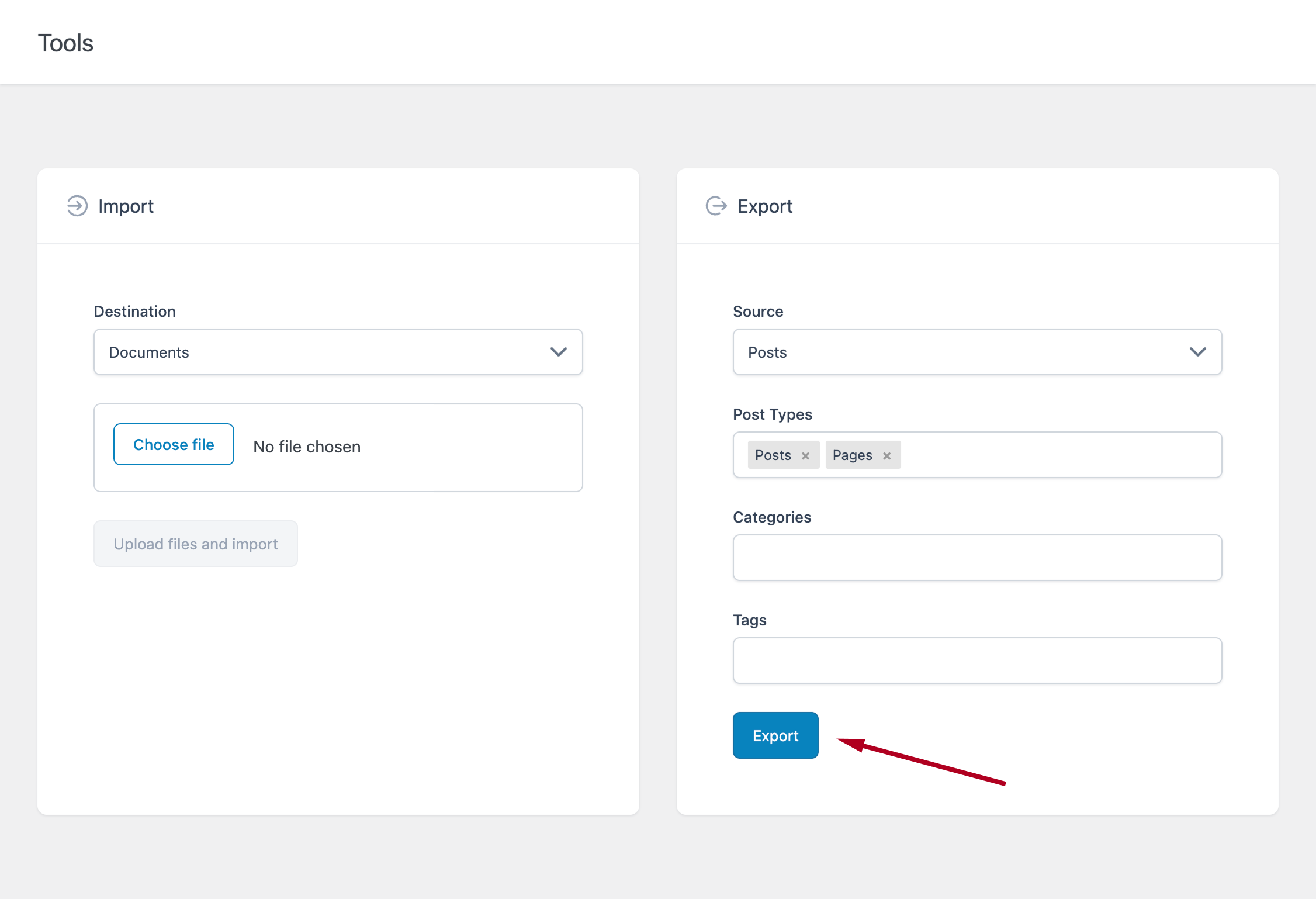
- Proceed to the Tools menu
- In the export section set the Source to Posts
After selecting Posts, additional filtering options become available.
Filter the Exported Content
You can refine which posts are included in the export using the following options:
- Post Types – Select the post types to include (e.g., Posts, Pages, or custom post types)
- Categories – Filter posts by category (leave empty to include all)
- Tags – Filter posts by tag (leave empty to include all)
Once you have configured your selection, click the Export button.
Depending on the number of posts included, the export process may take a few seconds.
After completion:
- Your browser will download a ZIP archive
- The file will be available in your default downloads folder
The generated archive contains Markdown files for each exported post.
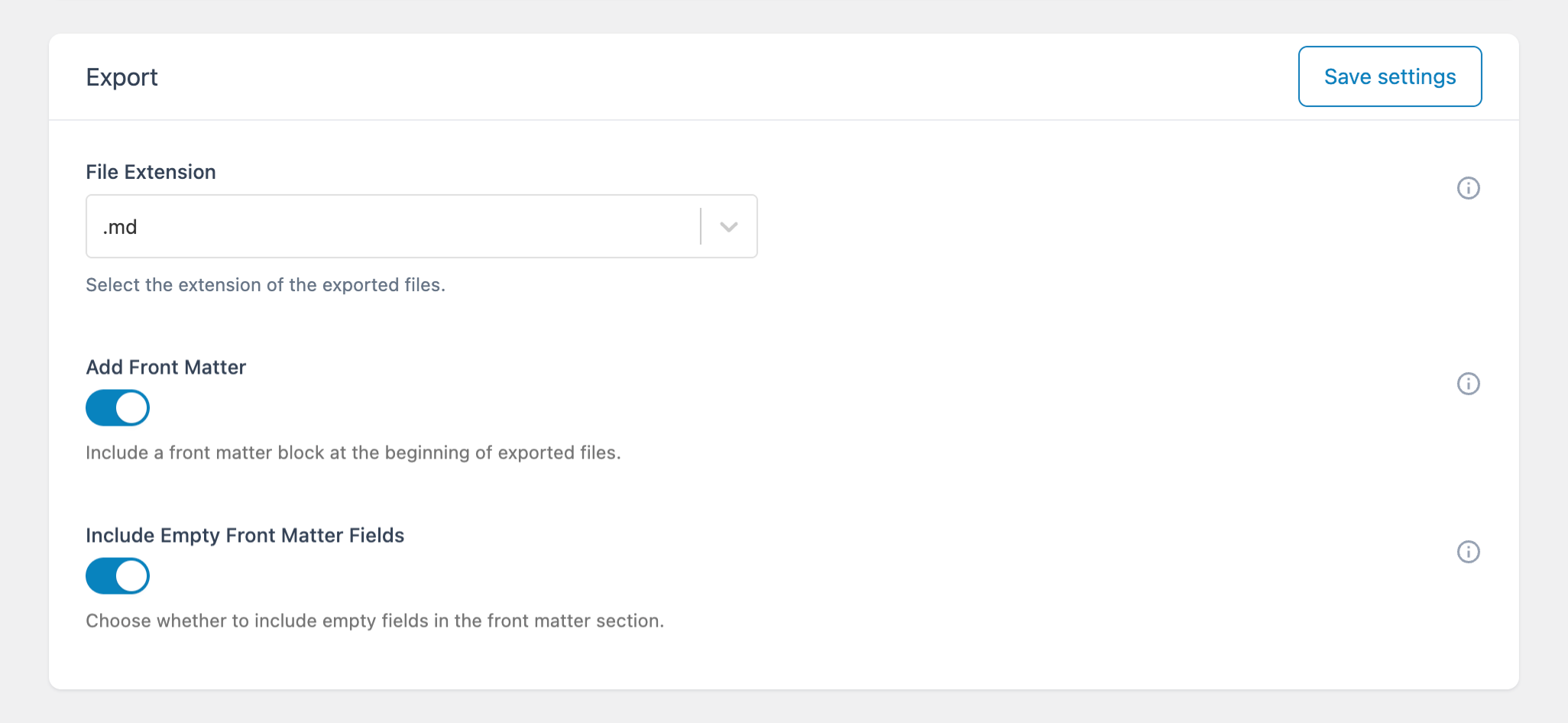
The file extension used for these files is defined in:
Options → Advanced → Export → File Extension
Including Front Matter
If you need to include metadata in your exported files, you can enable Front Matter.
Go to:
Options → Advanced → Export
Available options:
- Add Front Matter – Adds metadata such as title, slug, and date
- Include Empty Front Matter Fields – Includes empty fields when enabled
These options are useful when working with:
- Static site generators
- Headless CMS workflows
- External content pipelines