Exporting Markdown Documents
In this section, you will export content stored in the internal archive of Markdown documents available in Markdown → Documents. Use this feature to create portable, structured Markdown archives of your content.
To begin, visit the Export section. Here you can generate a compressed archive (.zip) containing your Markdown files.
You can export content from:
- Documents – Internal Markdown documents managed by the plugin
- Posts – WordPress posts converted to Markdown
To export documents:
- Set the Source to Documents
- Click the Export button
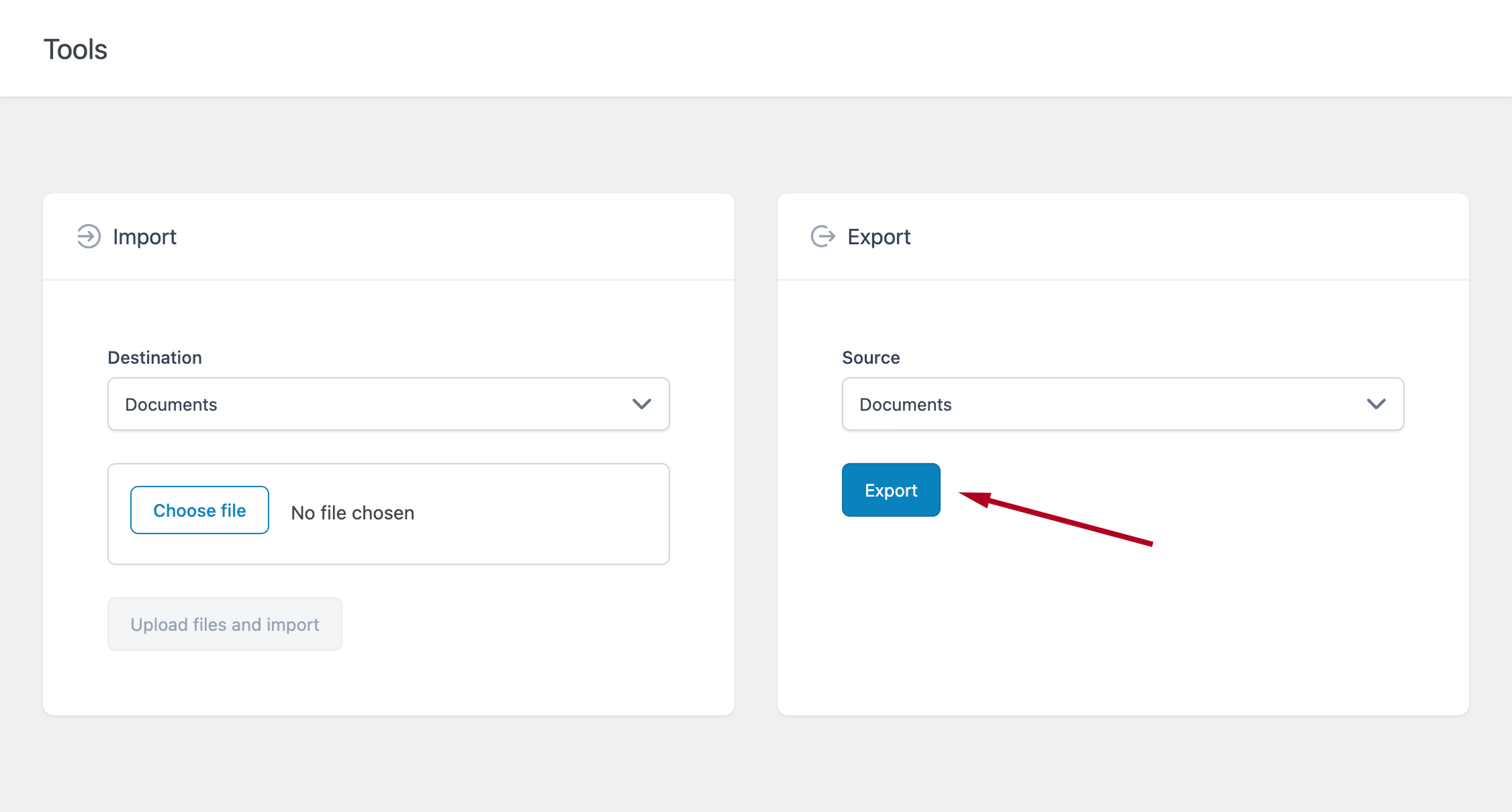
If your archive contains many documents, the process may take a few moments while the ZIP file is generated.
Once completed:
- Your browser will download the ZIP file
- The file will be available in your default downloads folder
The exported ZIP archive contains all your Markdown documents. The file extension of the exported Markdown files is defined in:
Options → Advanced → Export → File Extension
Including Front Matter
If you need to include metadata in your exported files, you can enable Front Matter.
Go to:
Options → Advanced → Export
Available options:
- Add Front Matter – Adds metadata (e.g., title, slug, date) to each file
- Include Empty Front Matter Fields – Includes empty fields when enabled
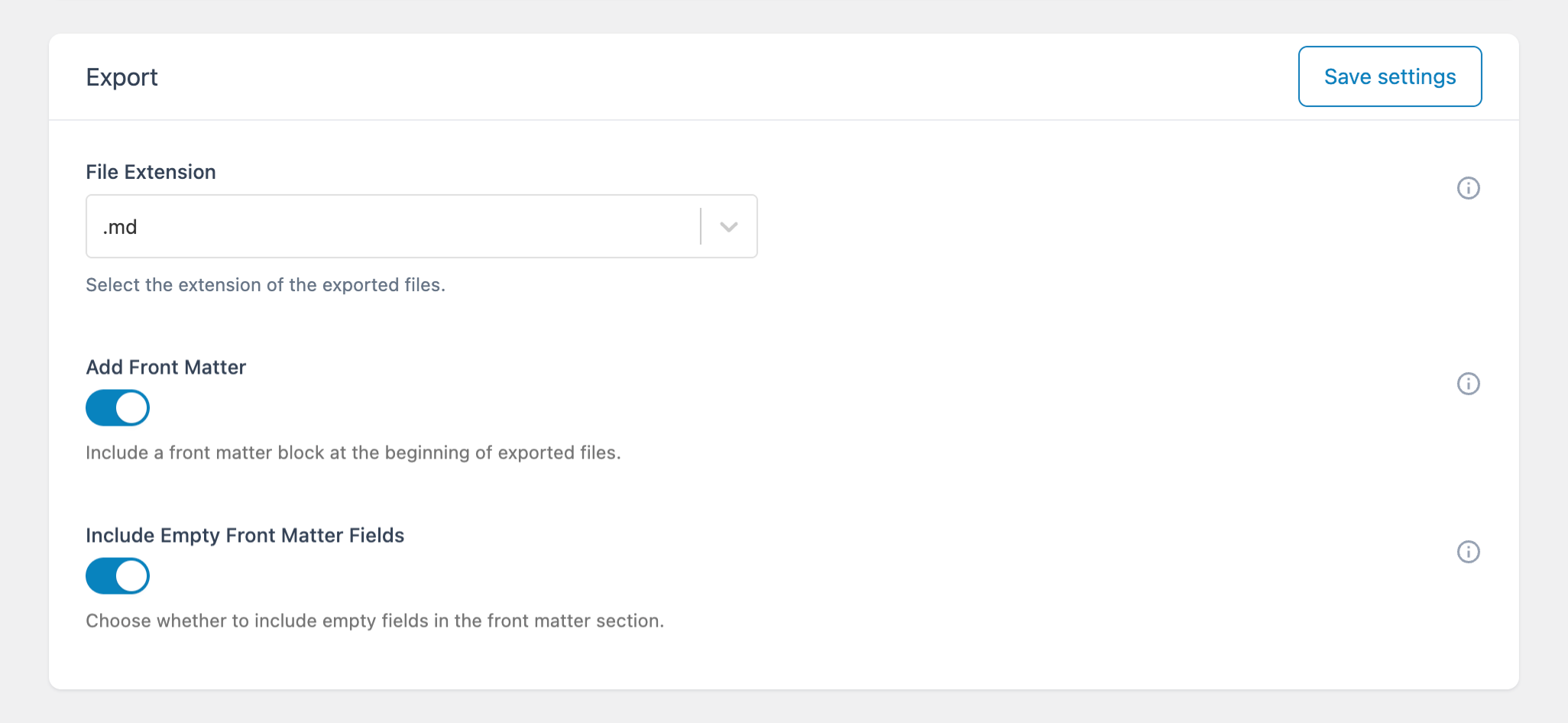
These options are useful when working with:
- Static site generators
- Headless CMS workflows
- External content pipelines
After clicking you may need to wait for a moment in case the number of documents is very high, because the server in this case will take more time to generated the zip file. When the process is complete you will see the notification from your browser that a new file has been downloaded. You can now proceed to the download folder to see the file.
The downloaded file is a zip file with included Markdown documents. The Markdown files will have the extension defined in the Advanced -> Export menu with the File Extension option.
If you need meta data along with your file content please also make sure to enable the addition of Front Matter in the exported file using the two dedicated options.