Domains Report: Outbound Link Distribution
The Domains Report tab of the Dashboard shows every external domain that your published content links to, how many posts link to each domain, and how many individual links point to it. This gives you visibility into your outbound linking patterns, which is useful for identifying over-reliance on specific external sources, auditing affiliate or partner links, or spotting unintended links to low-quality domains.
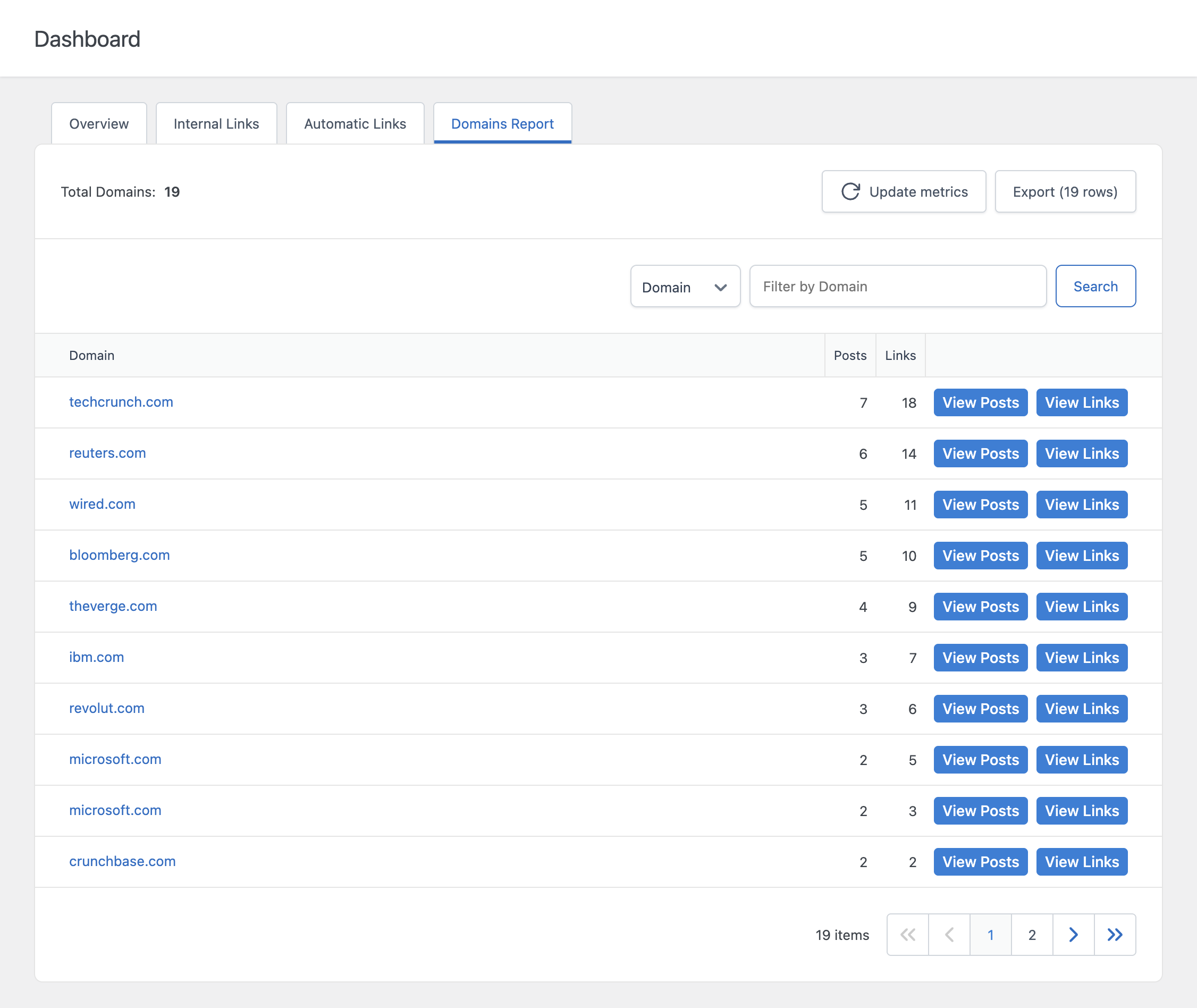
Columns
- Domain – The external domain that your content links to
- Posts – The number of distinct posts that contain at least one link to this domain
- Links – The total number of individual links pointing to this domain, across all posts
A domain with a high Links count but a low Posts count typically means a small number of posts contain many repeated links to the same destination. A high Posts count with a proportionally lower Links count usually means the domain is referenced broadly but sparingly across your content.
Drilling Into a Domain
Clicking a domain opens two drill-down views that let you inspect exactly where and how it is being linked.
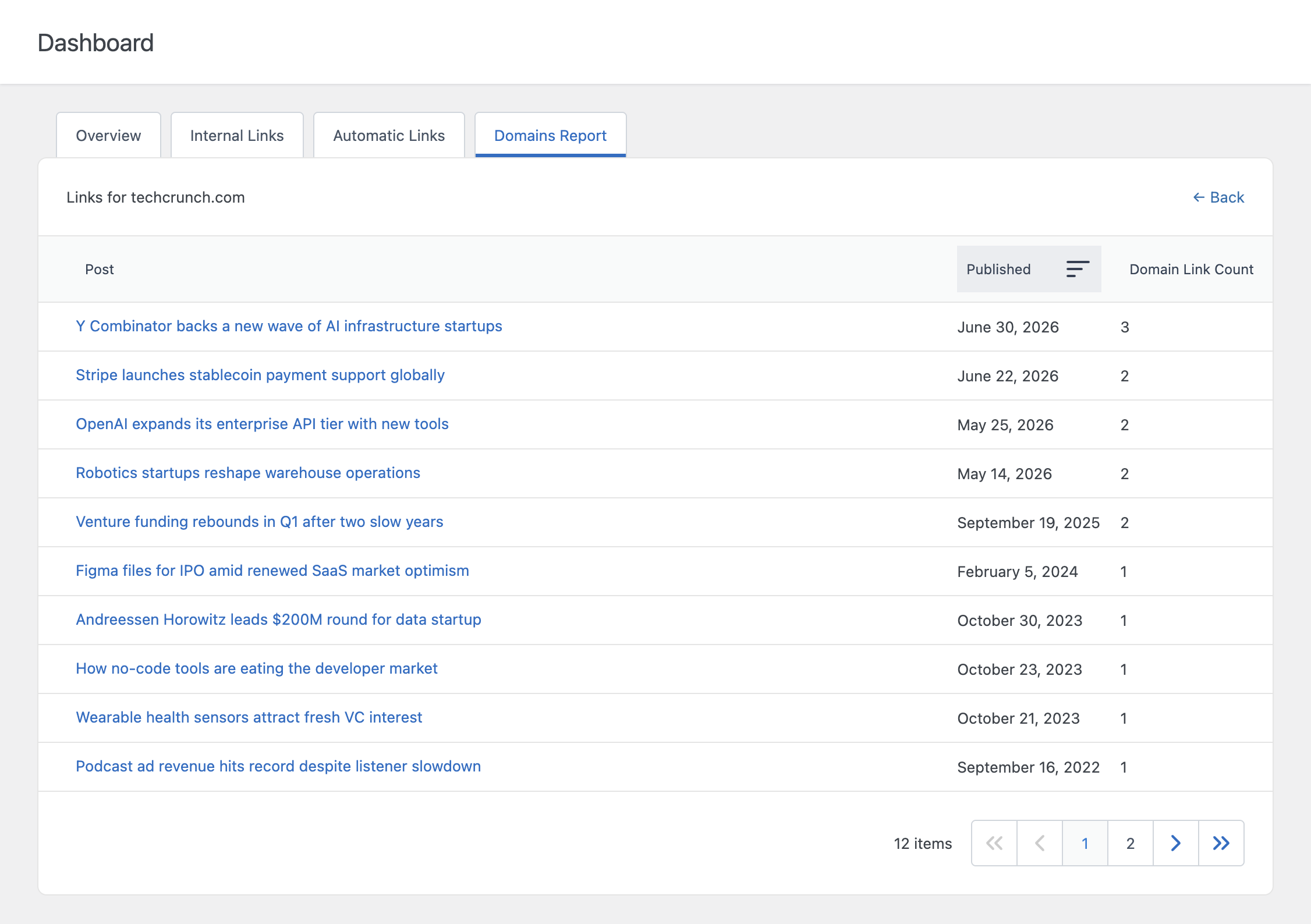
View Posts
The View Posts view lists every post that links to the selected domain, along with its publish date and how many times that specific domain is linked from within that post.
View Links
The View Links view lists every individual link pointing to the selected domain, including the anchor text used and the exact destination URL.
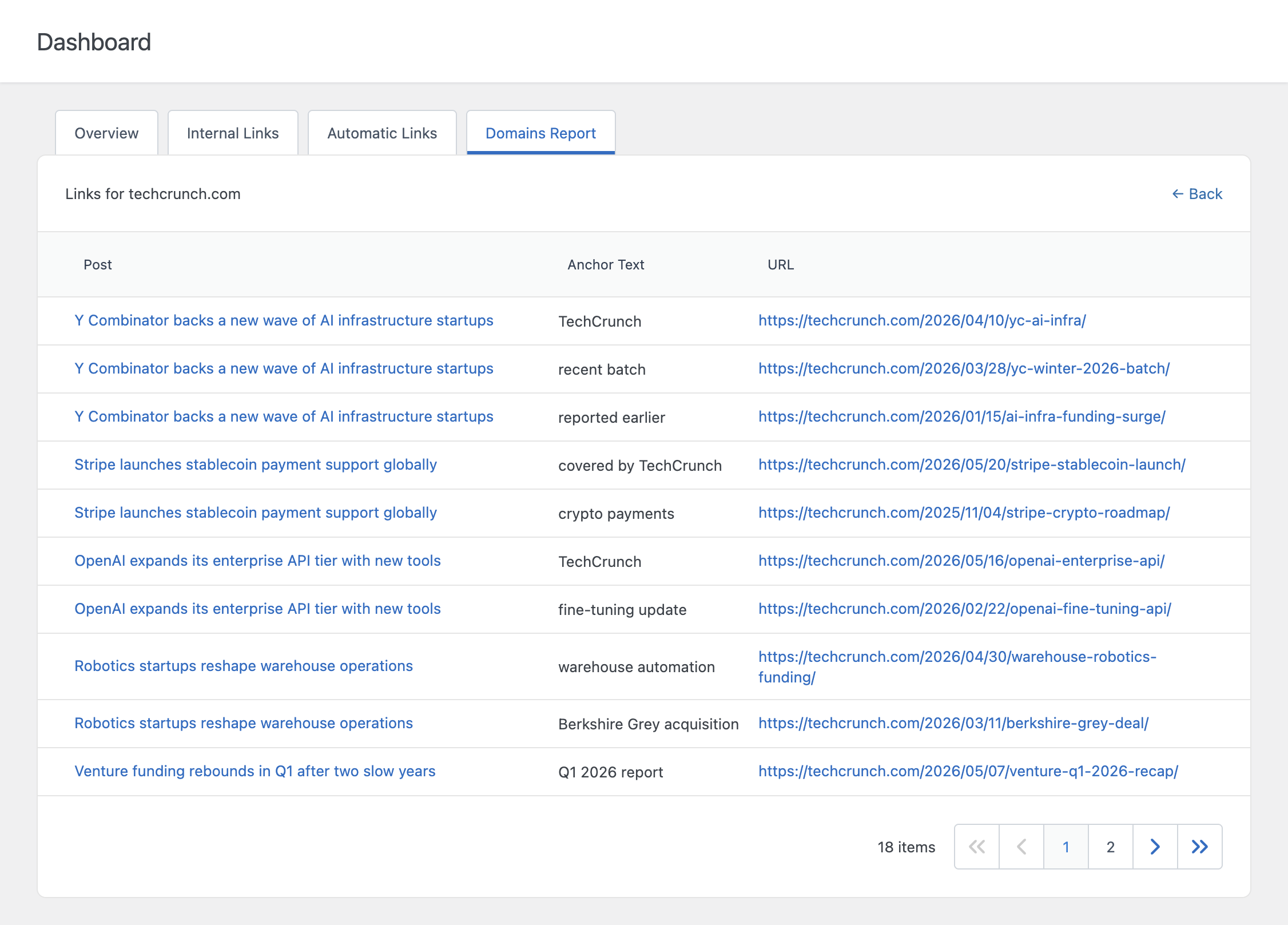
Use View Links when you need to verify the exact URL being used, for example to check whether an affiliate parameter is present, or to confirm that an anchor text matches your intended phrasing.
How the Report Is Generated
The Domains Report only includes published posts, pages, and any other post types selected in the Post Types option under the Technical Options section of the Settings menu. If no post types are selected, every public post type is analyzed.
Links to your own site are automatically excluded, including both www and non-www variants of your domain, so the report only reflects genuinely external links. Relative links, anchor-only links (#section), and non-HTTP links such as mailto: or tel: are also excluded, since these do not point to an external domain.
A Note on Link Detection
The report identifies links by scanning the raw HTML content of each post for anchor tags. This means links rendered dynamically through JavaScript, or links generated entirely client-side and not present in the saved post content, will not appear in this report. Links added through standard WordPress blocks, the classic editor, or your Auto Link Rules are all captured correctly, since they are stored as HTML in the post content.
Refreshing the Data
Like the other Dashboard tabs, the Domains Report is not generated in real time. Use the Update metrics button to manually trigger a recalculation, or rely on the Dashboard Data Update Frequency setting in the Settings menu to control how often it refreshes automatically.
Limiting the Number of Posts Analyzed
For performance reasons on large sites, the report only analyzes up to the number of most recent posts defined by the Limit Posts Analysis option in the Settings menu. If your site has more published posts than this limit, only the most recent ones are included in the report.