Defining Capabilities for Granular Access Control
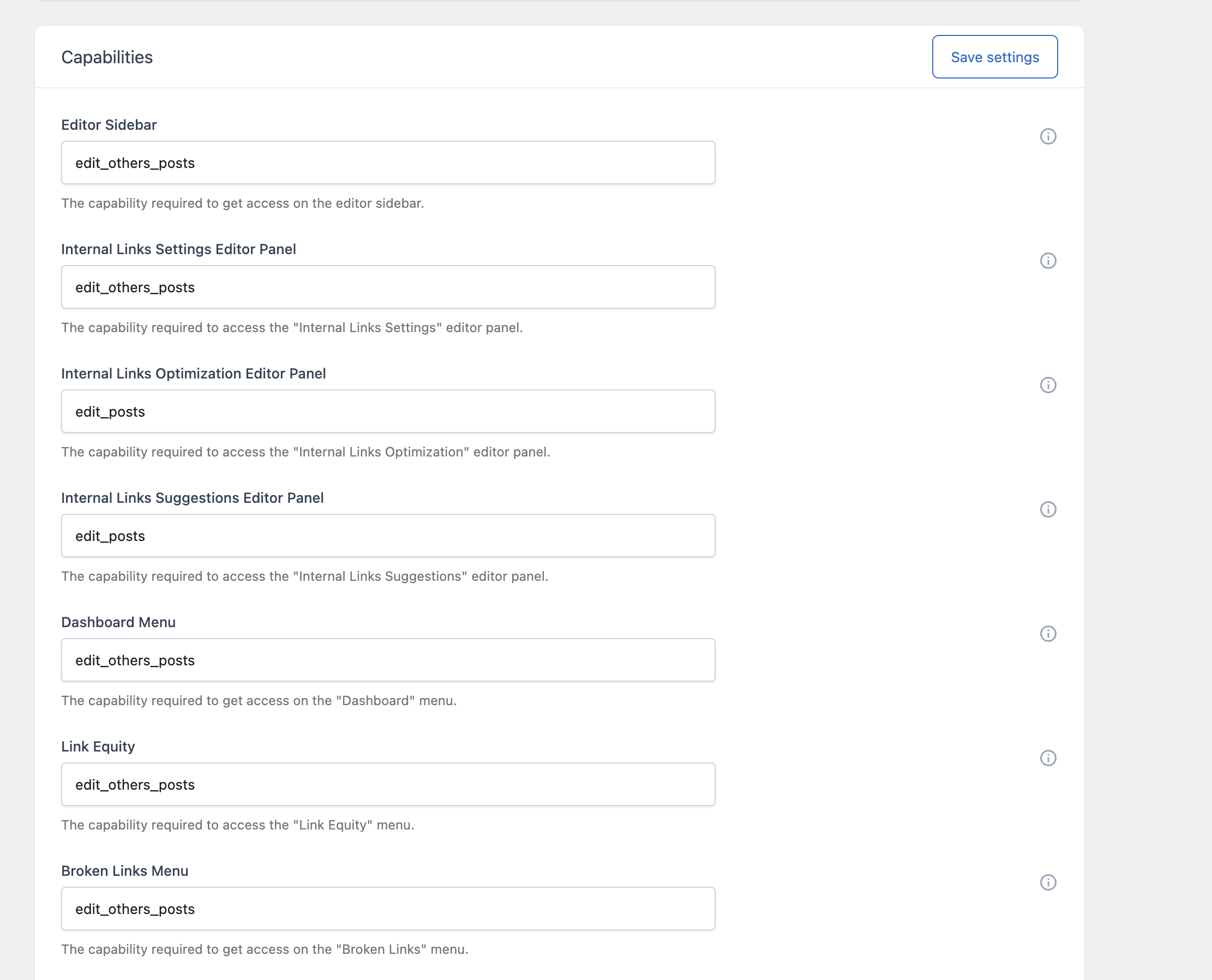
The Capabilities card, in the Advanced section of the Settings menu, lets you control exactly which WordPress user roles or capabilities are required to access each menu and editor panel in Link Manager. This gives you fine-grained control beyond the default behavior, where most plugin menus are available to any user with the manage_options capability (typically Administrators).
How It Works
Each field in this card accepts a WordPress capability string, not a role name. WordPress evaluates capabilities, not roles, when deciding whether a user can perform an action; roles like Administrator or Editor are simply predefined bundles of capabilities. To restrict a menu to Editors and above, for example, you would enter a capability that Editors have but Authors and Contributors don’t, such as publish_pages.
If you’re not familiar with WordPress’s built-in capabilities, the default value (typically manage_options) is the safest choice, since it restricts access to Administrators only.
Available Capability Fields
Editor Panels
- Editor Sidebar – Controls access to the classic editor metabox that lets a user enable or disable automatic links for an individual post.
- Internal Links Settings Editor Panel – Controls access to the panel where the Total Link Equity value is set for a post.
- Internal Links Optimization Editor Panel – Controls access to the panel showing whether a post’s internal link count is optimized.
- Internal Links Suggestions Editor Panel – Controls access to the panel that generates internal link suggestions.
Admin Menus
- Dashboard Menu – Controls access to the main Dashboard, including all four of its tabs.
- Link Equity – Controls access to the Link Equity menu.
- Broken Links Menu – Controls access to the Broken Links menu.
- Clicks Menu – Controls access to the Clicks menu.
- Auto Link Rules Menu – Controls access to the Auto Link Rules menu.
- Import & Export Menu – Controls access to the Import section of the Import & Export menu.
- Maintenance Menu – Controls access to the Maintenance menu, where bulk deletion tasks are performed.
A Practical Example
Suppose you want your content team to see automatic link suggestions while writing, but you don’t want them creating or editing Auto Link Rules sitewide. You could leave Internal Links Suggestions Editor Panel at its default so Editors retain access, while setting Auto Link Rules Menu to a capability only Administrators have, such as manage_options. This keeps suggestion-based linking available during content creation while reserving rule configuration for site administrators.
Things to Keep in Mind
- These settings only control access to the menu or panel itself; they don’t affect whether Auto Link Rules are applied to the front end of your site, which is governed separately by the rules themselves and the Enable Auto Links setting.
- Entering an invalid or misspelled capability string effectively locks everyone, including Administrators with
manage_options, out of that specific menu, since no user will match a capability that doesn’t exist. If you lock yourself out of a menu, you’ll need to correct the capability string. - Changes apply immediately and affect all users, not just specific accounts, since WordPress capabilities are evaluated per request based on the current user’s role.